How to Install and Set Up DAVx⁵ for Nextcloud on Android

Fairooza

Desktop Interface
3 Min. Lesezeit|27.01.2026

Accessing files in Nextcloud on Android is simple with the official app, but calendar and contact synchronization works a bit differently.

Nextcloud uses DAVx⁵, an open-source app that connects your Android device to calendars and contacts using the standard CalDAV and CardDAV protocols.

In this guide, you will learn how to install DAVx⁵ and prepare it to connect with your Nextcloud server before enabling calendar and contact synchronization.
Illustration of a laptop showing a Nextcloud interface with app icons

Set Up DAVx⁵ on Android for Nextcloud

Open the Google Play Store on your Android phone and search for DAVx⁵. Install the app:
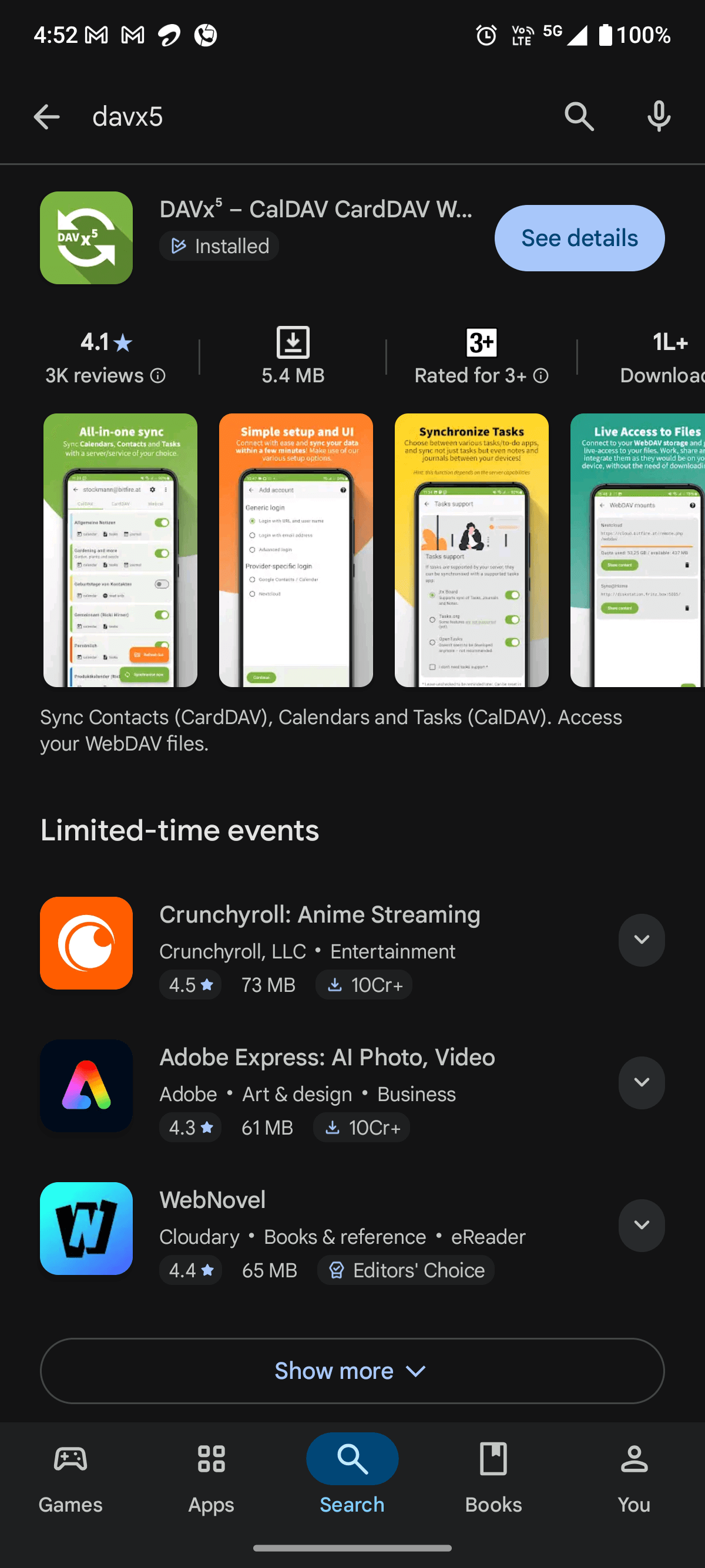
image of installing DAVx5 on android phone from google play store

Launch the DAVx⁵ app. You will first see the welcome screen.
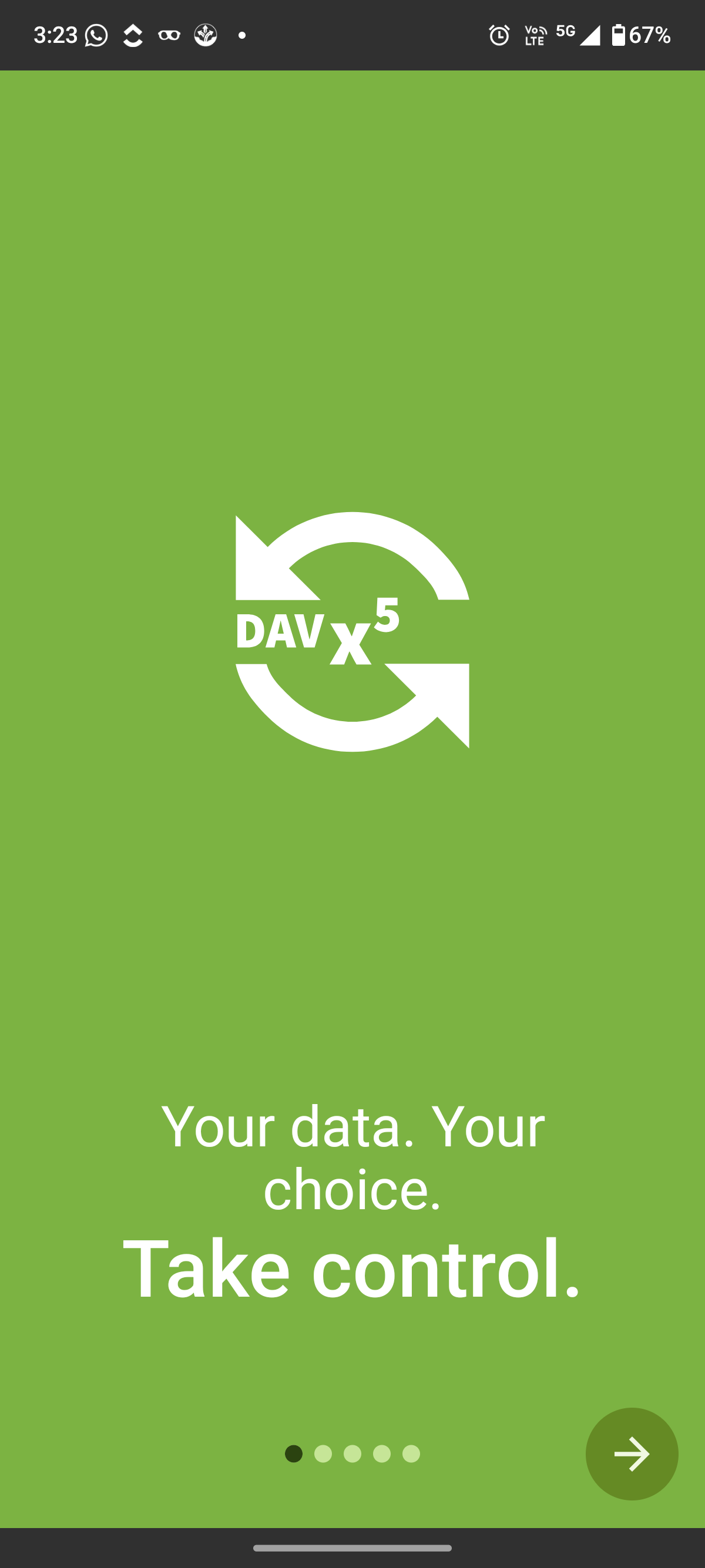
DAVx5 welcome screen after installing the app on Android

Here, tap the arrow button in the bottom-right corner to continue.

Next, DAVx⁵ displays the Tasks support screen.
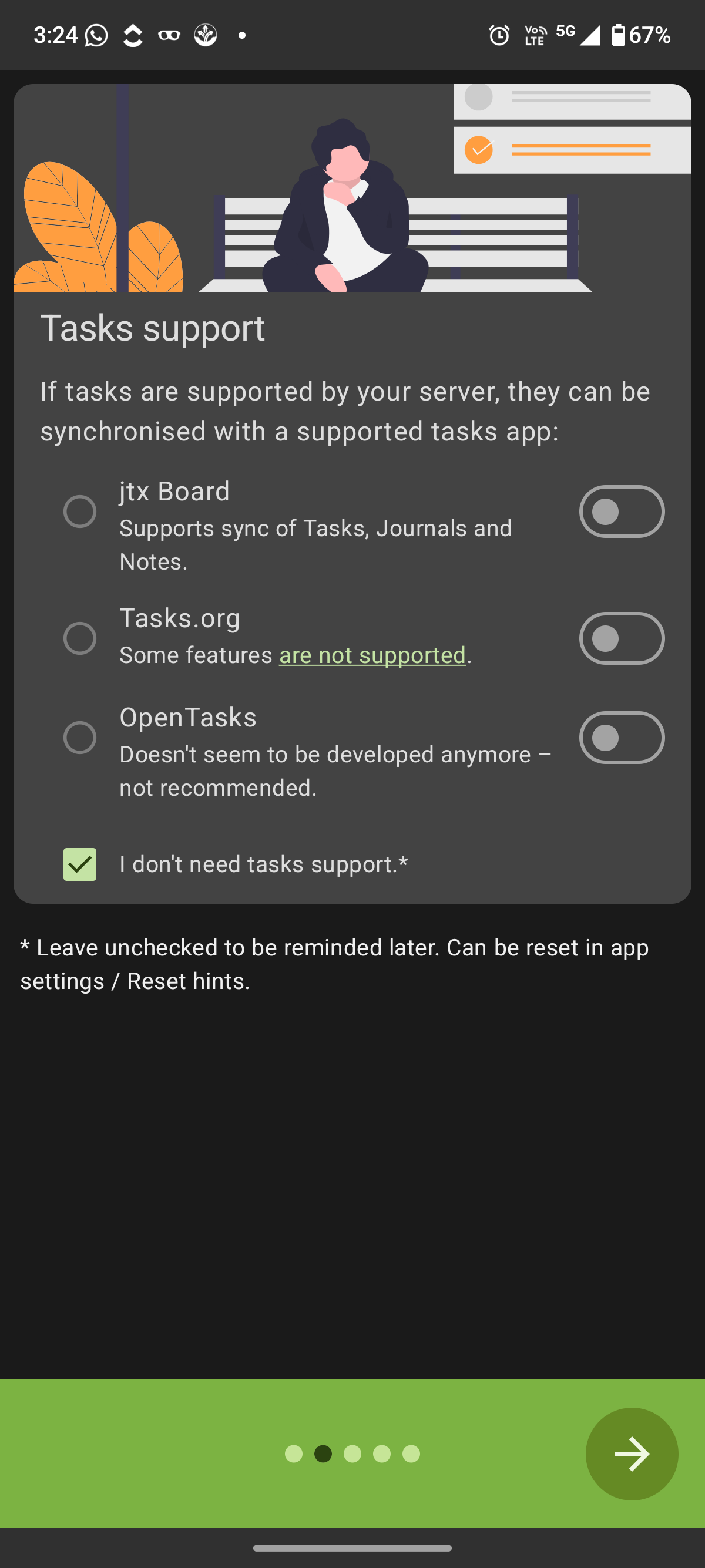
DAVx5 tasks support screen showing option to skip task synchronization

The app asks whether you want to sync tasks from your Nextcloud server using a supported tasks app. These tasks come from Nextcloud’s built-in task management features within the platform.

If you only want to sync calendars and contacts, leave the “I don’t need tasks support” (selected by default) option selected.

Then tap the arrow to continue.

At this stage, DAVx⁵ asks for the permissions it needs to sync calendars and contacts properly:
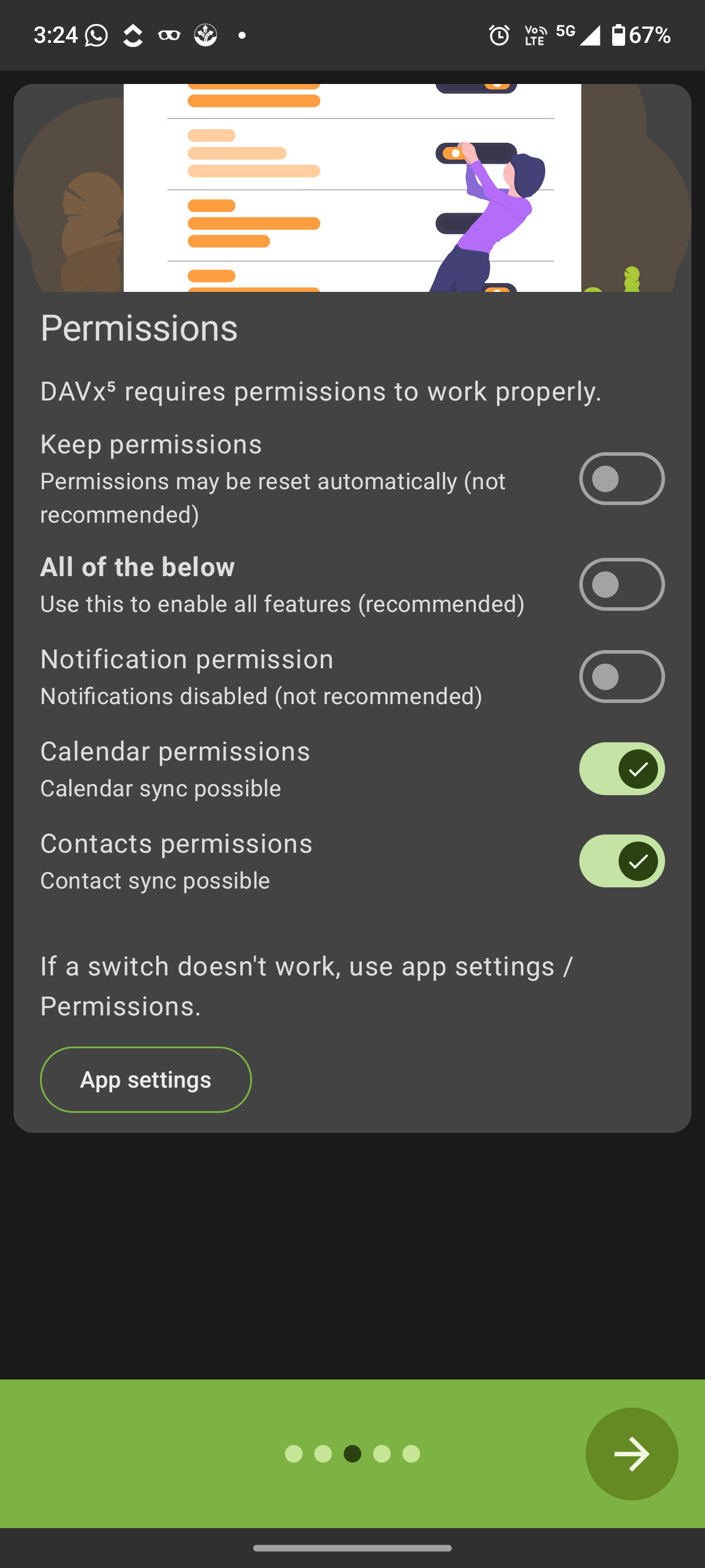
DAVx5 permissions screen requesting calendar and contacts access on Android

Enable the "Calendar permissions" and "Contacts permissions" so the app can access and synchronize this data with your Nextcloud account. You can leave the other options unchanged, such as "Notification permission" and "Keep permissions", as they are not required for basic syncing.

Once the required permissions are enabled, tap the arrow button.

You will now be asked whether you want to enable regular background synchronization.
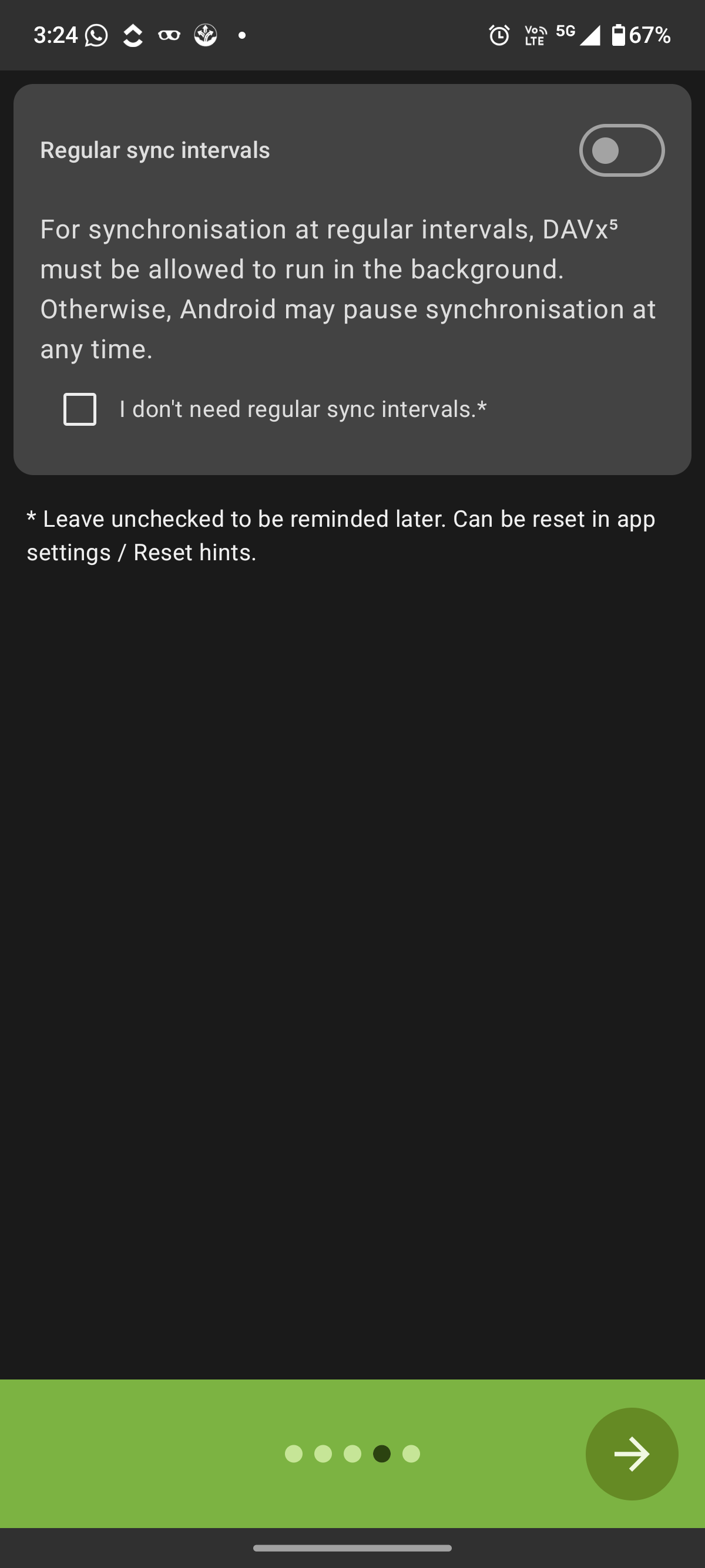
DAVx5 background sync setup screen on Android

This option allows the app to sync your calendars and contacts automatically at fixed intervals, even when the app is not open. If you want your data to stay updated in the background, turn on the "Regular sync intervals toggle".

Or, if you prefer to sync manually, you can leave this option disabled and check the box that says "I don’t need regular sync intervals".

After choosing your preference, tap the arrow button.

After completing the initial setup screens, you will arrive at the main DAVx⁵ welcome page.
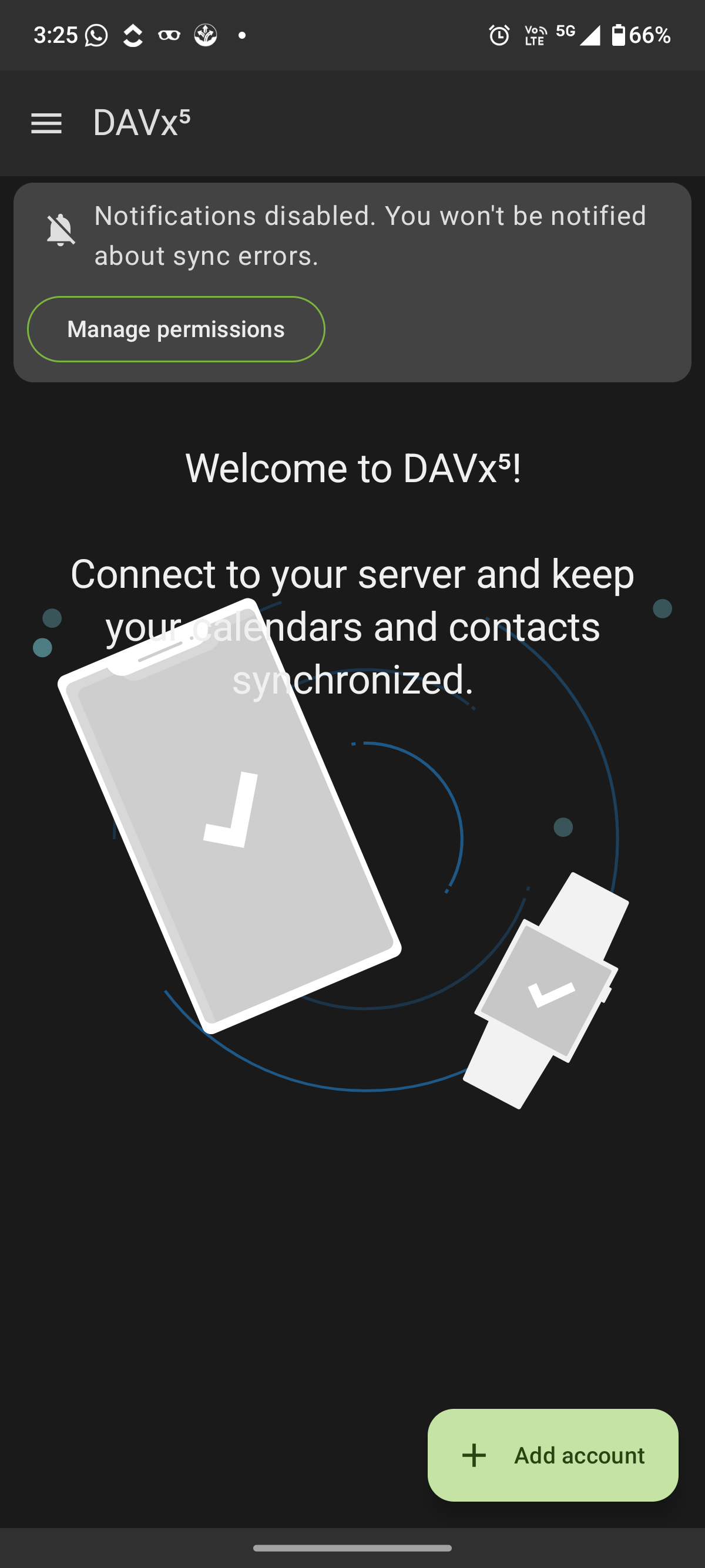
DAVx5 main welcome page with Add account option

Here, you can tap "Add account" to start connecting your Nextcloud server.

Next, you will see the account login selection screen.
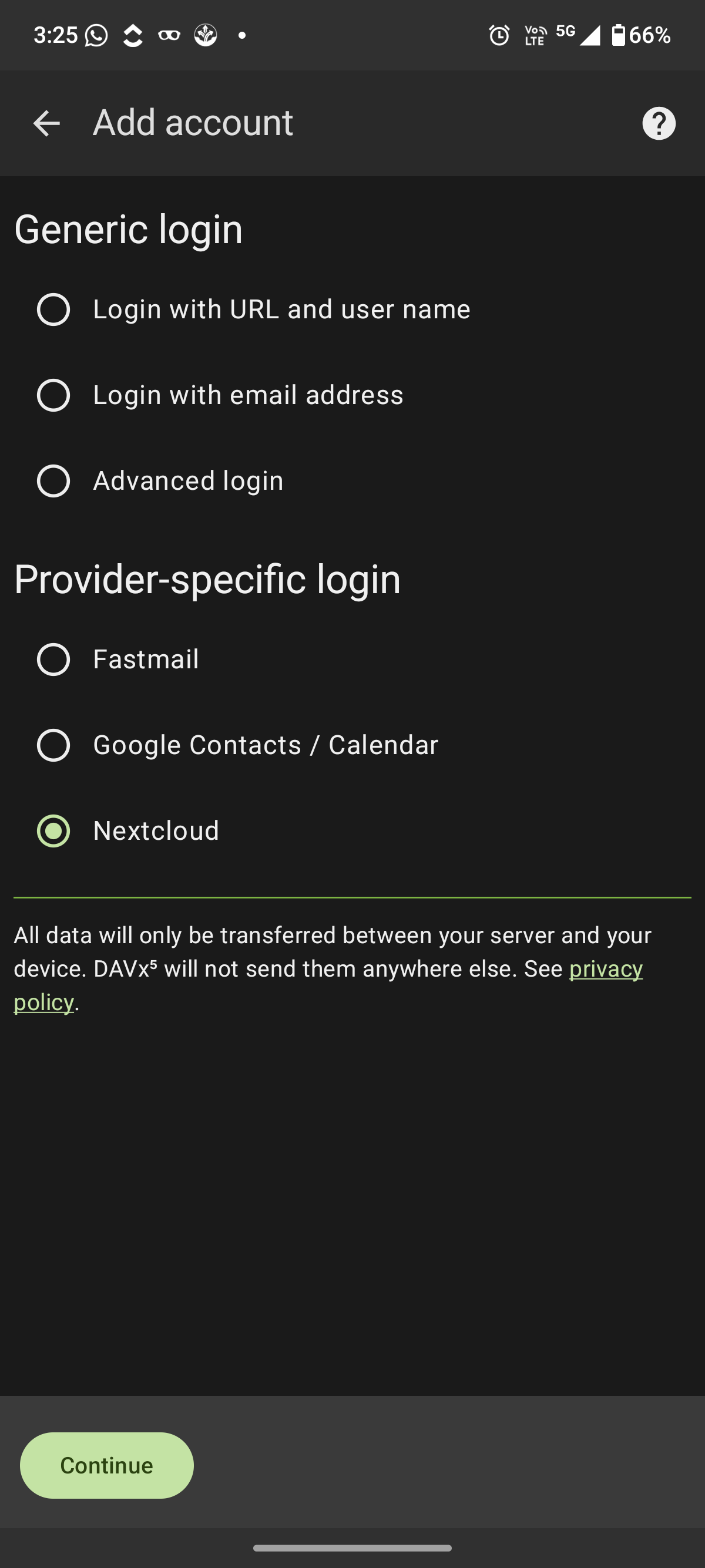
Select Nextcloud as provider in DAVx5 account setup

After selecting "Nextcloud" and tapping "Continue", DAVx⁵ will redirect you to your browser to complete the secure login and authorization process.

To finish the setup, continue with How to Set Up Nextcloud on Android for Files, Calendars, and Contacts. Once finished, your calendars and contacts will stay synchronized automatically between your Android device and your Nextcloud account.

Sichere und datenschutzorientierte Nextcloud-Verwaltung mit Hosting in Deutschland.

Unser Blog

Cloud-Einblicke: Trends, Tipps & Technologien

Nextcloud End-to-End Encryption: Was es schützt und was nicht
6 Min. Lesezeit|02.04.2026

Nextcloud End-to-End Encryption: Was es schützt und was nicht

Nextcloud End-to-End Encryption wird oft als das höchste Sicherheitsniveau innerhalb der Plattform beschrieben. Es verspricht, dass deine Daten privat bleiben, selbst vor dem Server, auf dem sie gehostet werden. Dateien werden auf deinem Gerät verschlüsselt, bevor sie hochgeladen werden, und nur auf deinem Gerät wieder entschlüsselt, sodass niemand – nicht einmal der Serveradministrator – sie lesen kann. In der Praxis verstehen viele Teams jedoch falsch, was es tatsächlich schützt und, noch wic

Wann Managed Nextcloud Hosting günstiger ist als Self-Hosting
6 Min. Lesezeit|02.04.2026

Wann Managed Nextcloud Hosting günstiger ist als Self-Hosting

Nextcloud ist Open-Source-Software, wodurch Self-Hosting auf den ersten Blick wie die günstigste Option erscheint. Viele Organisationen installieren es auf einem kleinen VPS mit Linux und einem typischen LAMP- oder LEMP-Stack mit Apache oder Nginx, PHP sowie einer MariaDB- oder PostgreSQL-Datenbank. In der Anfangsphase funktioniert dieses Setup oft gut für kleine Teams. Ein kleiner Server kann grundlegendes File Sharing, Synchronisation und interne Zusammenarbeit unterstützen, ohne große Infras

Nextcloud Hosting Costs: Was Du tatsächlich über den Server hinaus bezahlst
6 Min. Lesezeit|02.04.2026

Nextcloud Hosting Costs: Was Du tatsächlich über den Server hinaus bezahlst

Nextcloud ist Open Source Software. Da die Plattform selbst kostenlos heruntergeladen werden kann, gehen viele Organisationen davon aus, dass der Betrieb ihrer eigenen Cloud-Umgebung günstig ist. Auf den ersten Blick scheint die Logik einfach. Miete einen kleinen VPS, installiere die Software, und Deine private Cloud ist bereit. In der Praxis enden Nextcloud Hosting Costs selten beim monatlichen Preis eines Servers. Der Betrieb einer zuverlässigen Nextcloud-Umgebung erfordert Infrastruktur-Kon

Kontaktieren Sie unsere Cloud-Experten

Schreiben Sie uns
Chat

Schreiben Sie uns

Unser freundliches Team hilft Ihnen gerne

Cbb logo
Sichere Echtzeit-Cloud-Zusammenarbeit aus Europa
CloudBased Backup bietet Ihnen Managed Nextcloud – eine sichere Kollaborationsplattform mit Echtzeit-Dokumentenbearbeitung, nahtlosem Videochat und Groupware auf Mobilgeräten, Desktop und im Web.
Besuchen Sie uns in den sozialen Medien.
Abonnieren Sie unseren Newsletter.
Erhalten Sie exklusive Angebote und bleiben Sie immer auf dem Laufenden.
© 2026 CloudBased Backup. Alle Rechte vorbehalten.