Nextcloud comes with a set of built-in productivity apps that many users never explore. Three of the most useful ones are Deck, Notes, and Tasks, which replace separate tools for planning, note-taking, and task management. This allows a Nextcloud instance to cover basic project planning, note-taking, and task tracking without relying on external tools.
With CloudBased Backup’s Managed Nextcloud, you can activate each of these apps directly from the customer interface in just a few clicks.
Enabling Apps in Your CloudBased Backup Customer Interface
All three apps, Deck, Notes, and Tasks, can be activated under Nextcloud Apps Management for your Nextcloud instance.
To do this, log in to your CloudBased Backup account.
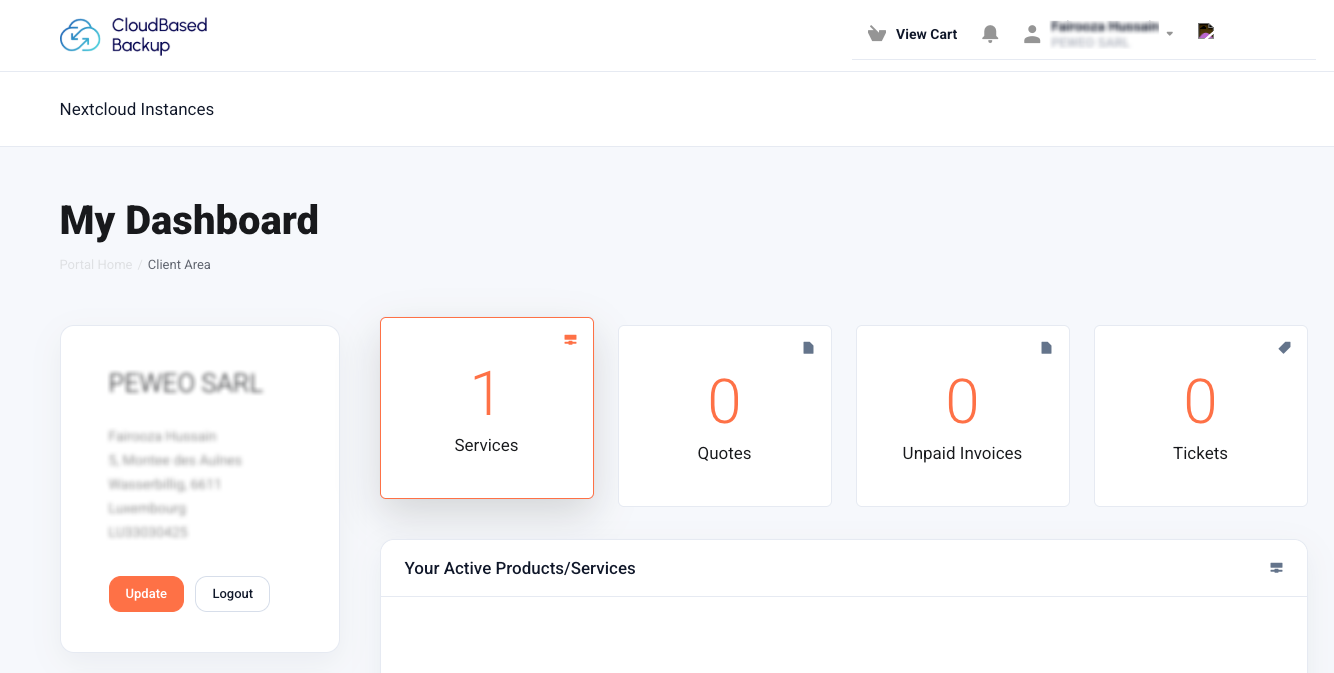
From the dashboard, open "Services". This opens the My Products & Services page, which lists all active services.
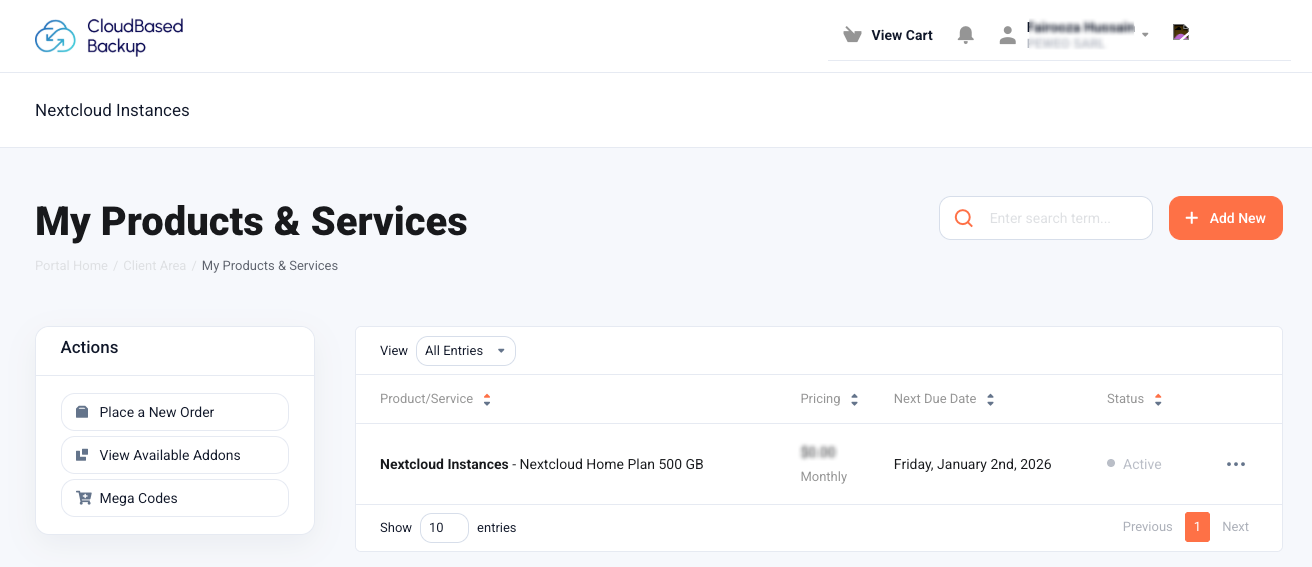
Next, locate your Nextcloud Instances product and click on it. This takes you to the Product Details page for your Nextcloud plan.
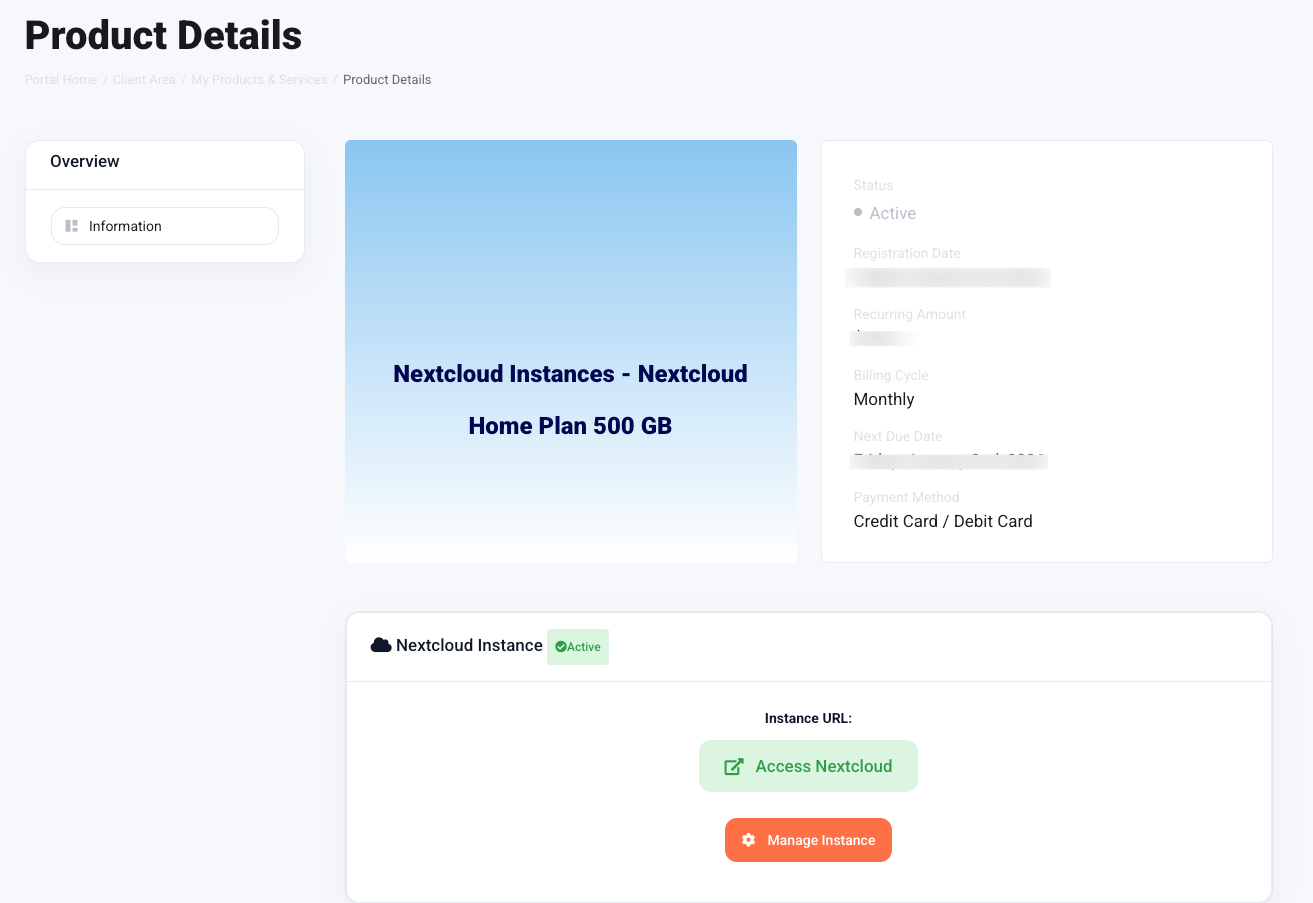
On this page, click on "Manage Instance" to open the instance controls. Then the following screen appears:
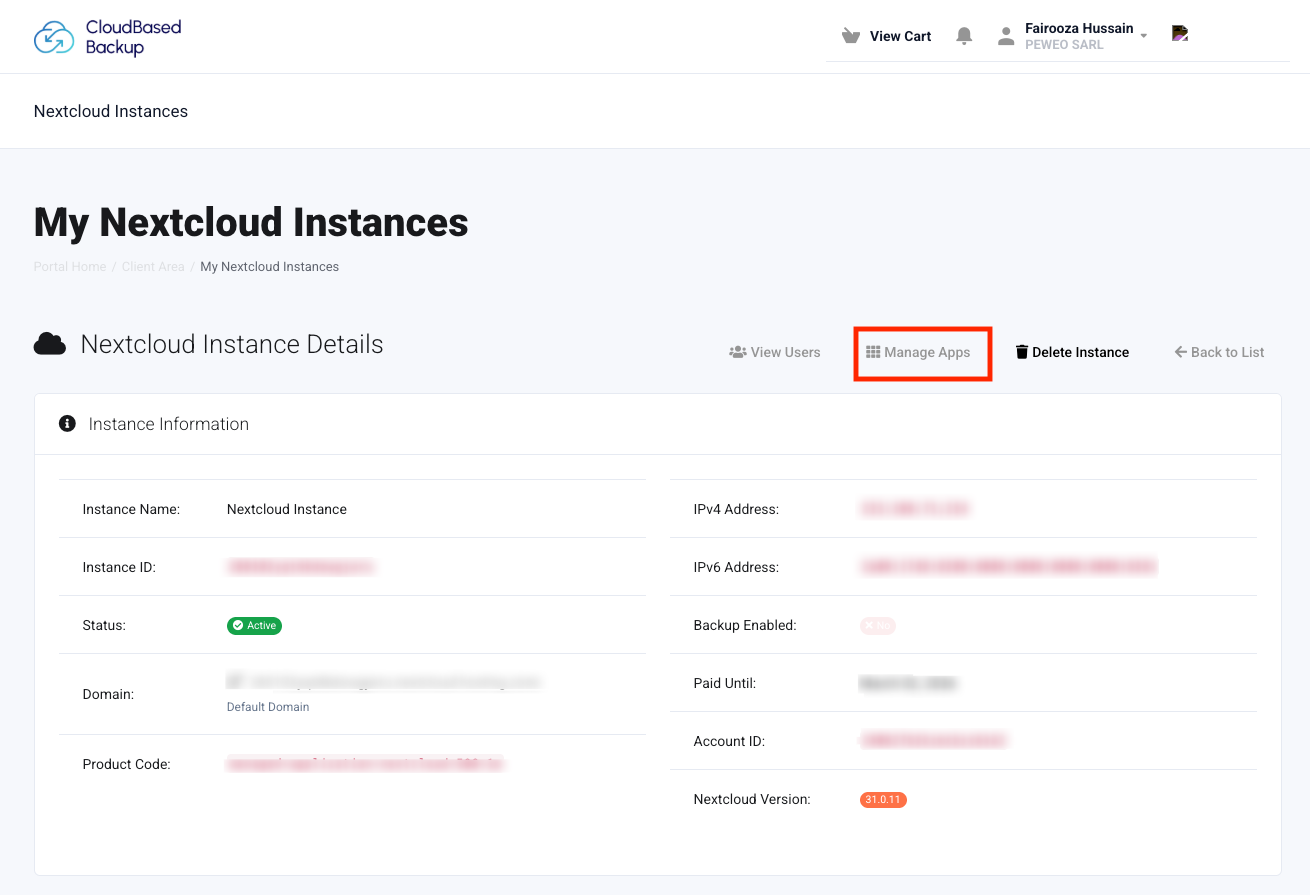
Here, click "Manage Apps". This opens the Nextcloud Apps Management page. All available Nextcloud apps are listed here along with an Install button.
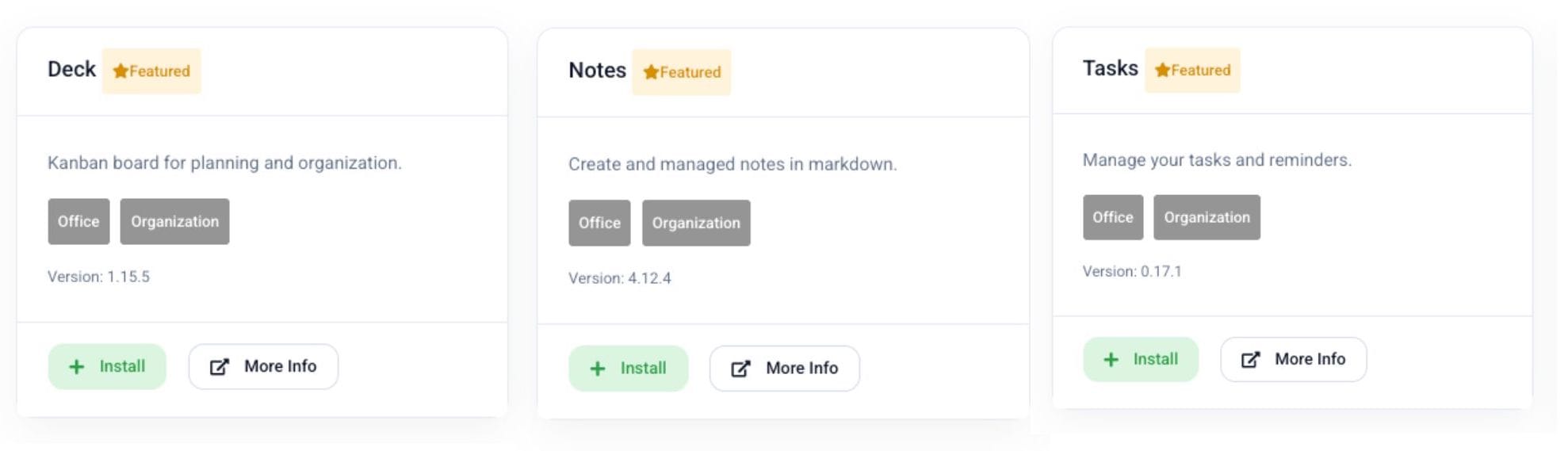
To enable, simply click on the "Install" button next to the app you want. Once installed, the app becomes immediately available.
Deck
Deck brings Kanban-style project management into Nextcloud. The concept will feel familiar if you have used tools like Trello or Clickup before. It is inspired by workflows commonly used in software development, but works just as well for content planning, internal processes, or simple project tracking.
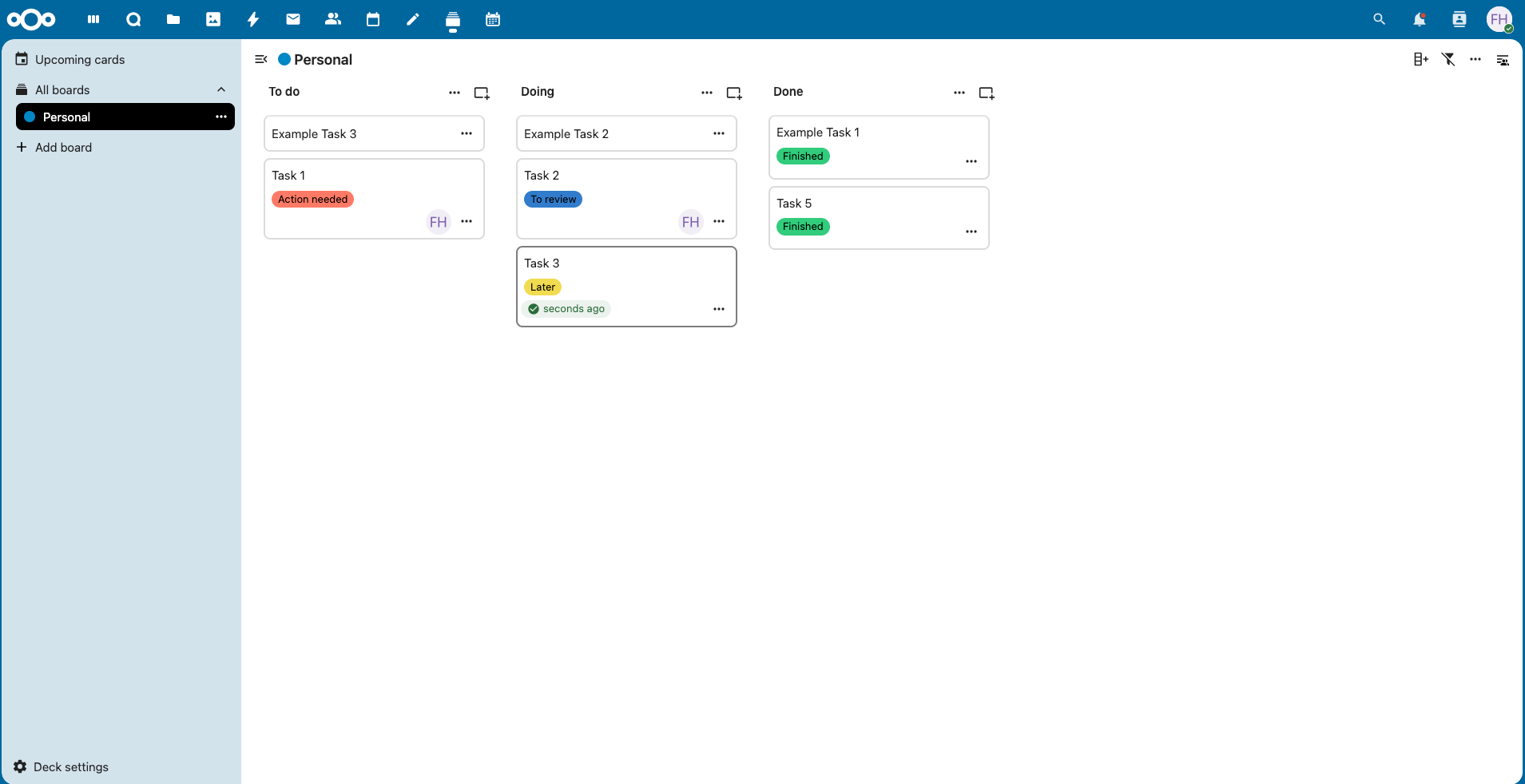
Deck organises work into boards, each containing multiple lists (often referred to as swimlanes). Tasks are written on cards and assigned to different swimlanes such as “Open”, “In Progress”, or “Done”. You can freely move cards between lists by dragging and dropping them.
Notes
The Notes app gives you a clean space to write quick notes, meeting summaries, reference lists, or anything else without the overhead of a full document editor.
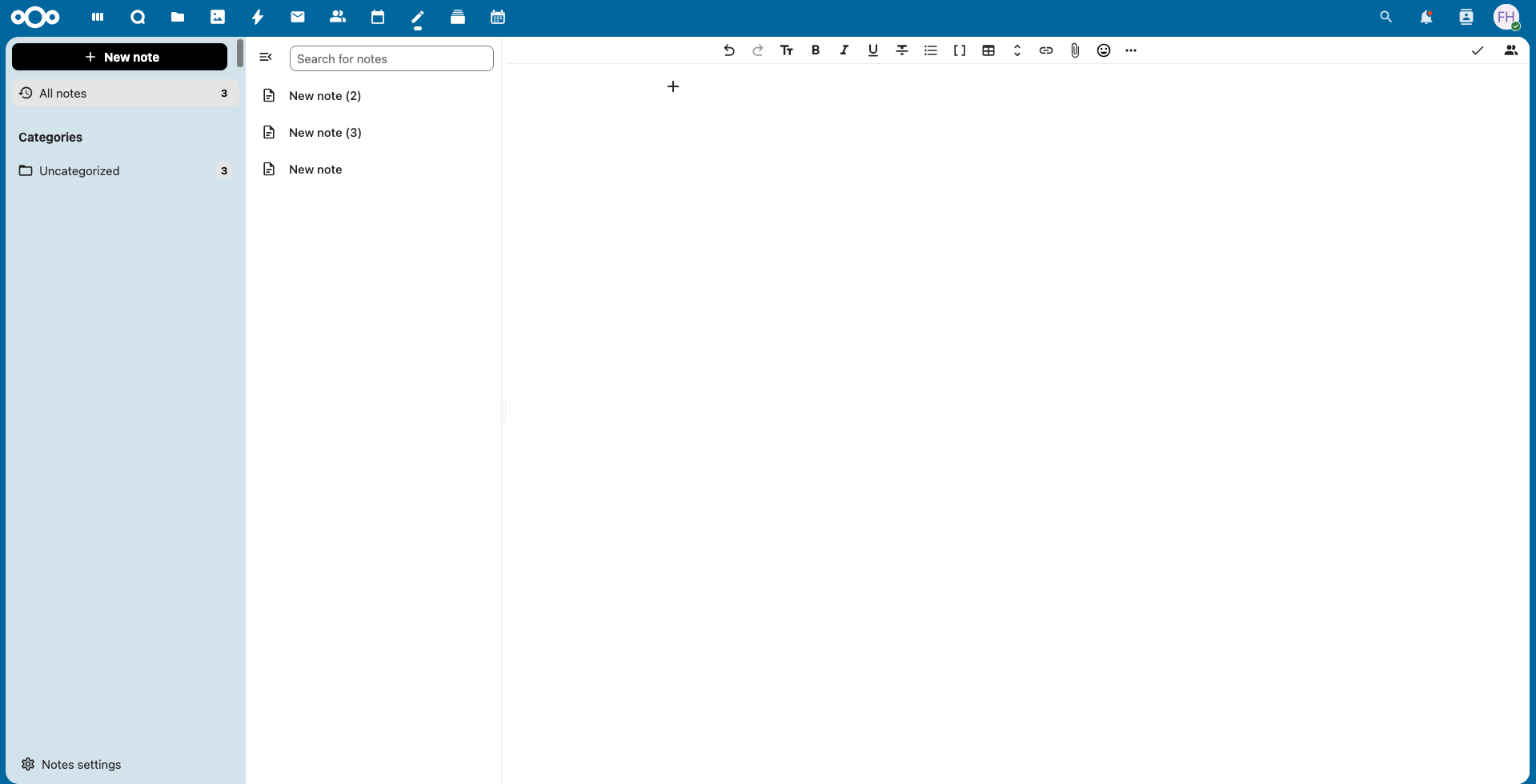
Notes are stored as plain text files and can be grouped using categories, which appear in the sidebar. This makes it easy to keep related notes together while staying flexible.
Additionally, Markdown can be used to format them, allowing you to use headings, lists, links, and code blocks when needed.
Tasks
Tasks is the dedicated task management app in Nextcloud. While Deck handles visual project planning, tasks allows you to create and manage to-do lists directly within your private cloud.
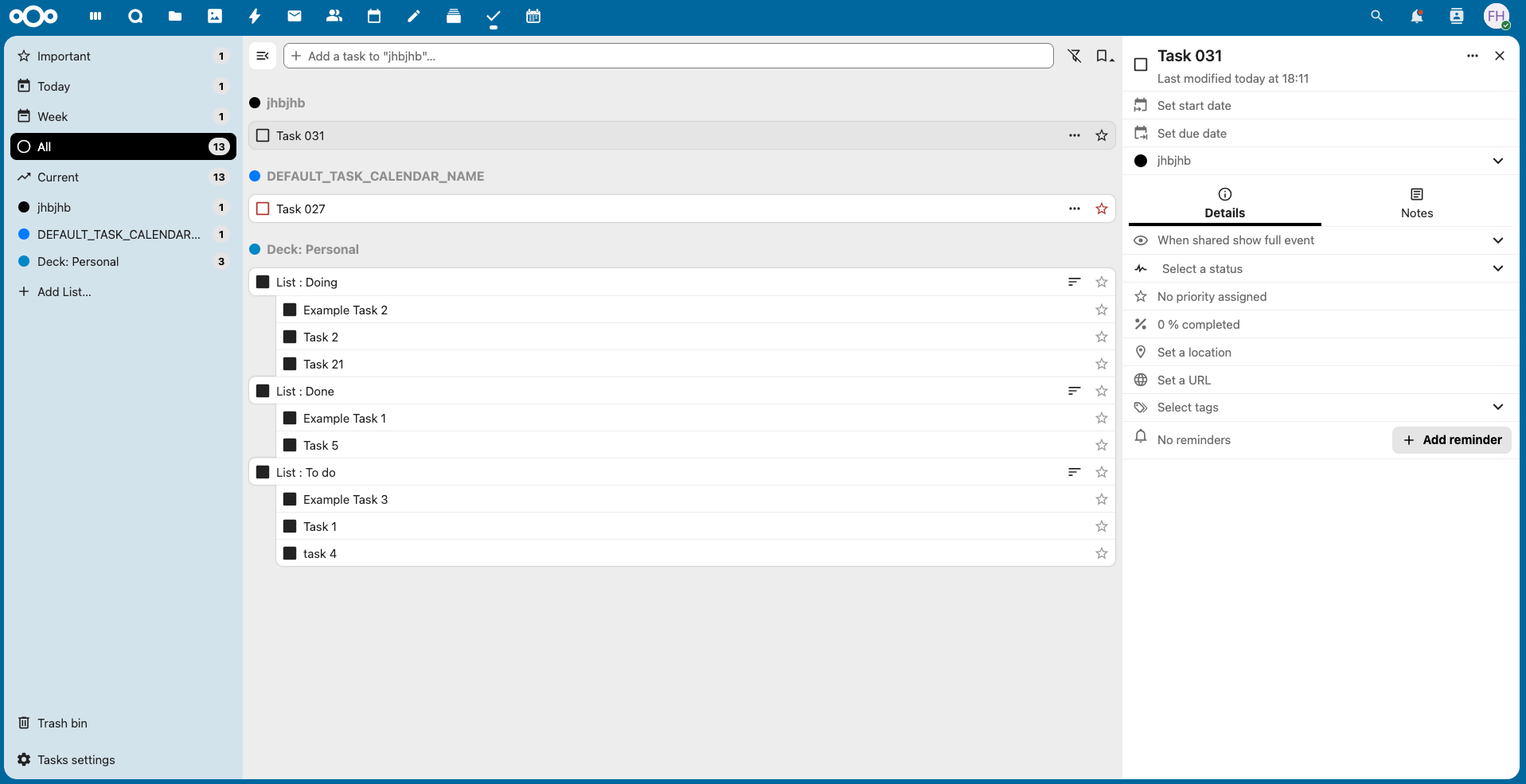
Tasks are organised into lists and can be marked as current or completed, making it easy to track progress. The app uses standard CalDAV synchronisation, allowing tasks to be accessed from compatible desktop and mobile clients.
In addition, items from other Nextcloud apps, such as Deck, can appear in Tasks to provide a unified overview. However, tasks created in Deck cannot be edited in the Tasks app, they must be updated in their original board.
The Cloud Assistant That's Always One Step Ahead.
Cloud Insights: Trends, Tips & Technologies
How to Integrate Your Nextcloud Calendar into Google Calendar
Many Nextcloud users rely on Google Calendar for their day-to-day scheduling, even when they manage meetings and events inside Nextcloud. Instead of switching between the two, you can subscribe to your Nextcloud calendar directly inside Google Calendar and view everything in one place. This guide explains how the integration actually works and how to set it up properly. How Google Calendar connects to Nextcloud calendars First, log in to your Nextcloud instance and open the Calendar app. You
How to Install and Set Up DAVx⁵ for Nextcloud on Android
Accessing files in Nextcloud on Android is simple with the official app, but calendar and contact synchronization works a bit differently. Nextcloud uses DAVx⁵, an open-source app that connects your Android device to calendars and contacts using the standard CalDAV and CardDAV protocols. In this guide, you will learn how to install DAVx⁵ and prepare it to connect with your Nextcloud server before enabling calendar and contact synchronization. Set Up DAVx⁵ on Android for Nextcloud Open the G
How to Set Up Nextcloud on Android (Files, Photos, Calendar & Contacts)
Access your private cloud from your Android phone quickly and securely. The official Nextcloud Android app lets you browse files, upload and download documents, keep files available offline, and back up photos automatically. Calendar and contact synchronization is handled through the open-source DAVx⁵ app, which keeps the main Nextcloud app fast and focused on file access. For desktop setup, you can also follow our guide on setting up Nextcloud on macOS for files, calendars, and contacts. This

Reach out directly at
PEWEO SARL
5, Montée des Aulnes
L-6611 Wasserbillig
LU33030425
Features
CloudBased Backup
All rights reserved.