Many Nextcloud users rely on Google Calendar for their day-to-day scheduling, even when they manage meetings and events inside Nextcloud. Instead of switching between the two, you can subscribe to your Nextcloud calendar directly inside Google Calendar and view everything in one place.
This guide explains how the integration actually works and how to set it up properly.
How Google Calendar connects to Nextcloud calendars
First, log in to your Nextcloud instance and open the Calendar app. You will see the familiar monthly view, with your calendars listed on the left side.
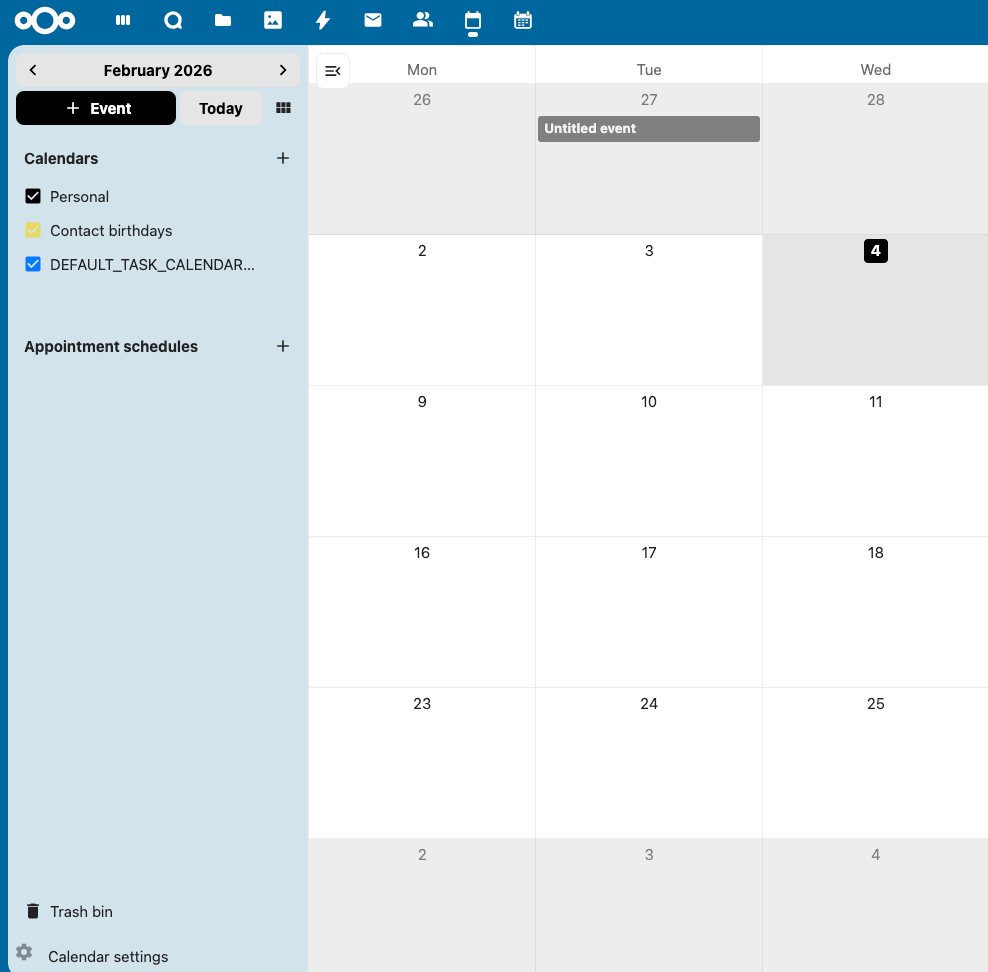
Under Calendars, you will find a few options. I am choosing the Personal calendar here, since that’s where most everyday events and meetings usually live.
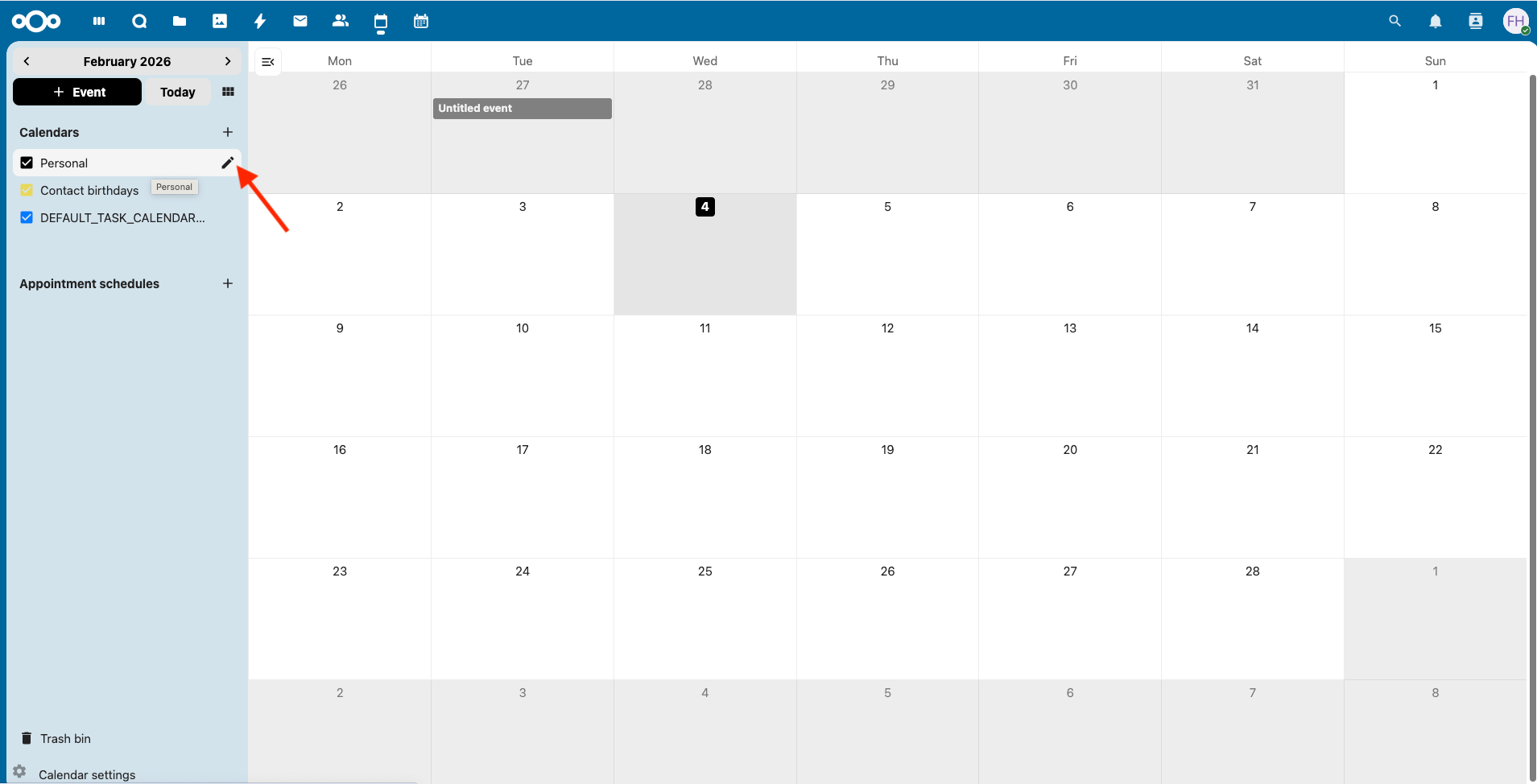
When you hover over "Personal", you will notice a small pencil icon appear. Click that. This now opens the calendar’s settings panel.
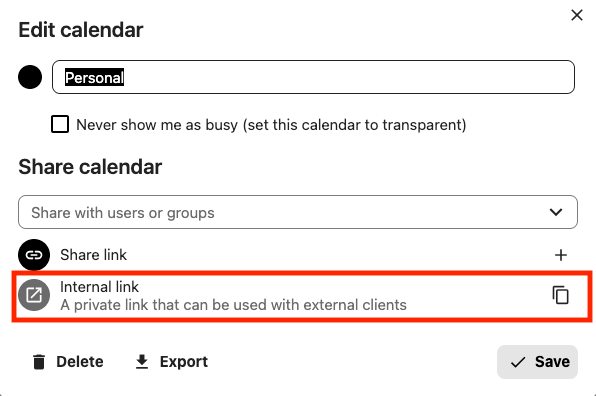
In this panel, look for the section "Share calendar". This is where Nextcloud exposes a private subscription link for external apps.
Here you will see an option "Internal link", described as a private link that can be used with external clients. This is exactly what Google Calendar needs. Click the copy icon next to it.
At this point, you are done in Nextcloud.
Once that’s done, switch over to Google Calendar. Open Google Calendar in your browser. Make sure you are using Google Calendar in a web browser. The mobile app does not show the required options, but once everything is set up, the calendar will appear there automatically.
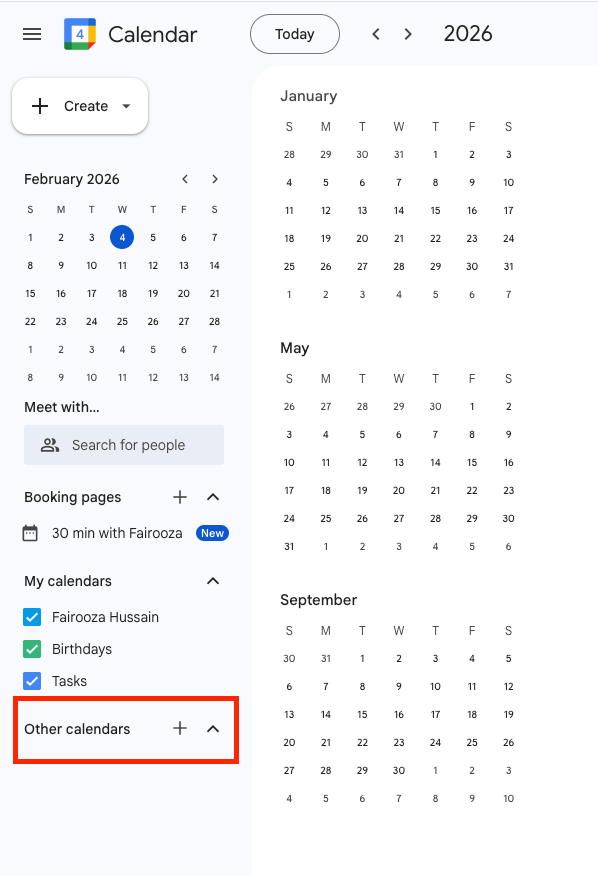
In the left sidebar, scroll down to Other calendars and click on the plus icon next to it.
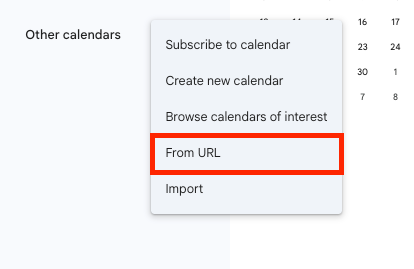
From the menu that opens, choose "From URL".
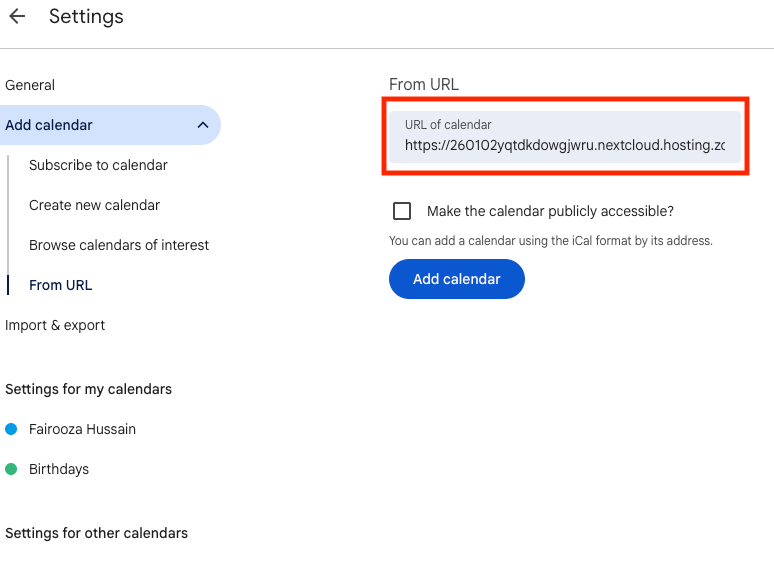
Now, Google takes you to the calendar settings page. Here you will see a field "URL of calendar". This is where you paste the internal link you copied from Nextcloud. Then click "Add calendar".
That’s it.
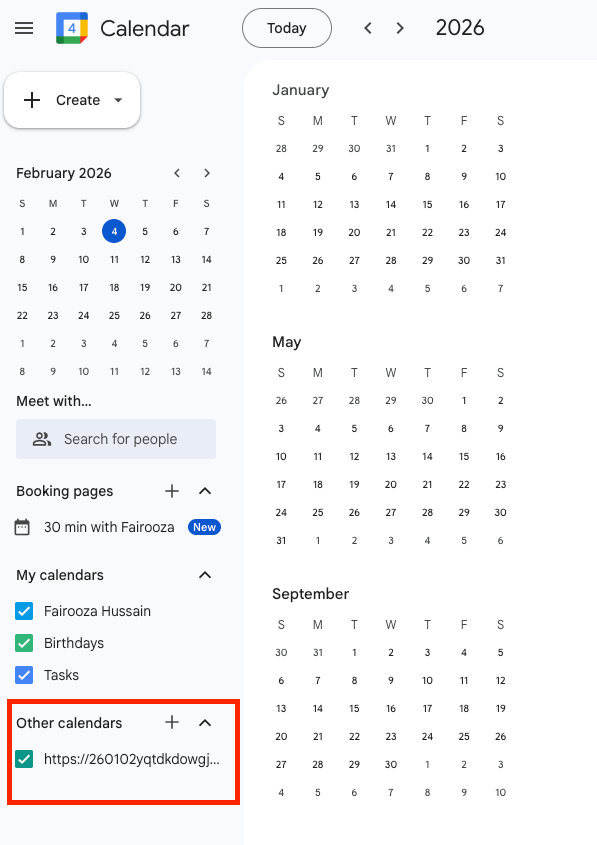
Once the calendar is added, you can see it listed under "Other calendars" in Google Calendar. Your Nextcloud events are now visible in Google Calendar.
One thing to be aware of is that Google does not update subscribed calendars instantly. Changes you make in Nextcloud can take a few hours to show up in Google Calendar and that is normal.
If you are using Android and need real-time calendar updates, setting up Nextcloud directly on Android provides full two-way sync. For advanced setups, CalDAV clients like DAVx⁵ connect directly to Nextcloud and support instant calendar synchronization.
Secure and privacy-first managed Nextcloud hosted in Germany.
Cloud Insights: Trends, Tips & Technologies
How To Use Nextcloud Talk
Nextcloud Talk is part of the Nextcloud platform, and knowing how to use it properly is important if you want to manage team communication, calls, and meetings directly within your own environment. This guide focuses on how to use Nextcloud Talk in practical terms. It walks through setup, interface basics, messaging and calling features, and key settings that affect daily use. The goal is to help you use it efficiently without unnecessary steps or confusion. Key Takeaway Nextcloud Talk
How To Install Nextcloud On Ubuntu
Managing your own cloud storage gives you control over your files and data privacy. Installing Nextcloud on an Ubuntu server lets you run a self-hosted cloud environment on stable, supported software. This guide covers everything from setting up your server to accessing Nextcloud in a web browser, so you can quickly deploy a secure, functional cloud solution. Key Takeaway Installing Nextcloud on Ubuntu via Snap offers a quick, reliable way to deploy a self-hosted cloud server with minim
Secure File Sharing for Business: How Companies Use Nextcloud for Collaboration
Businesses share sensitive files such as contracts, financial records, customer data, and internal documents every day across teams, devices, and external partners. At the same time, the risks are also increasing. The average cost of a data breach in 2023 reached $4.45 million, and many incidents are linked to unsecured cloud-based file transfers. Even a simple mistake, like sending a file to the wrong recipient, can trigger a GDPR violation. Remote work and constant collaboration with client

Reach out directly at
PEWEO SARL
5, Montée des Aulnes
L-6611 Wasserbillig
LU33030425