Accessing files in Nextcloud on Android is simple with the official app, but calendar and contact synchronization works a bit differently.
Nextcloud uses DAVx⁵, an open-source app that connects your Android device to calendars and contacts using the standard CalDAV and CardDAV protocols.
In this guide, you will learn how to install DAVx⁵ and prepare it to connect with your Nextcloud server before enabling calendar and contact synchronization.
Set Up DAVx⁵ on Android for Nextcloud
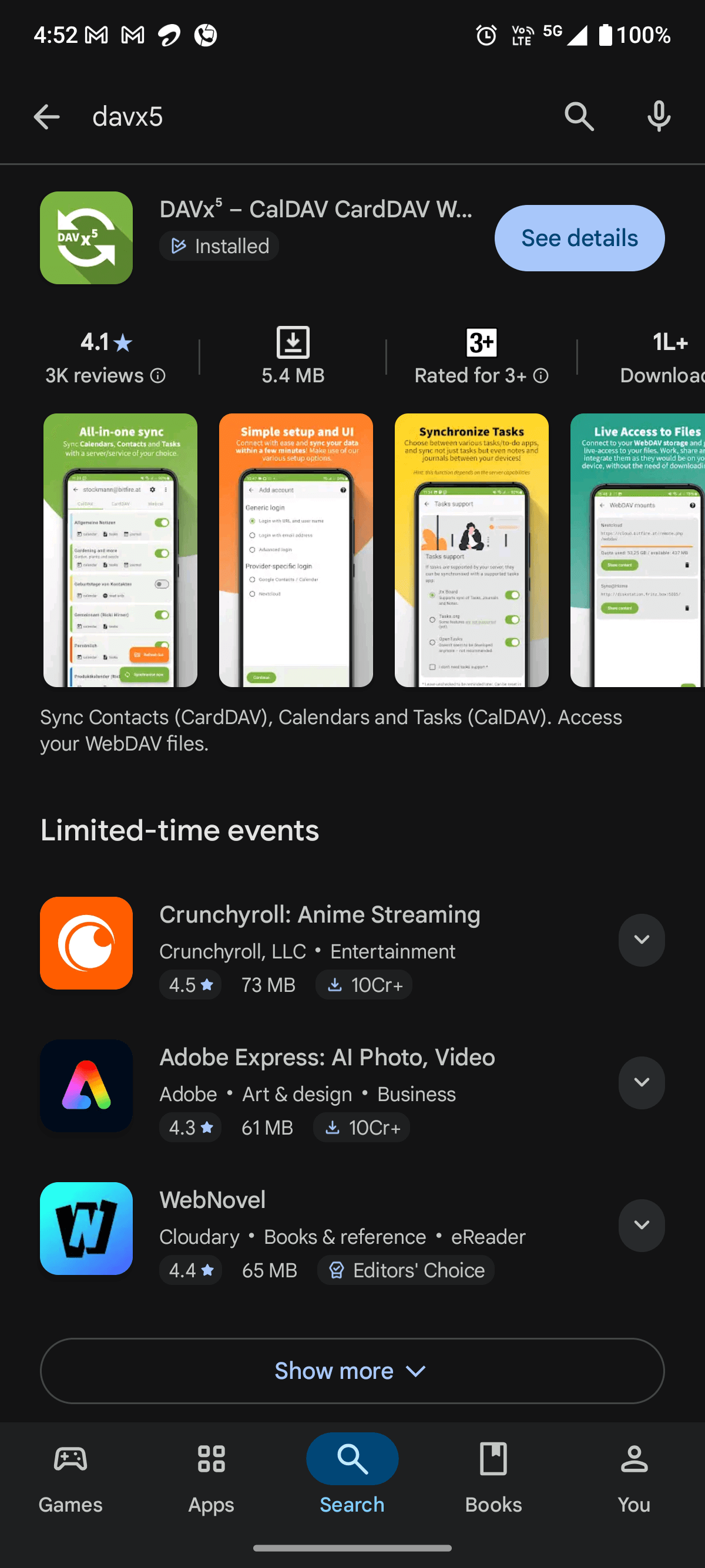
Open the Google Play Store on your Android phone and search for DAVx⁵. Install the app:
Launch the DAVx⁵ app. You will first see the welcome screen.
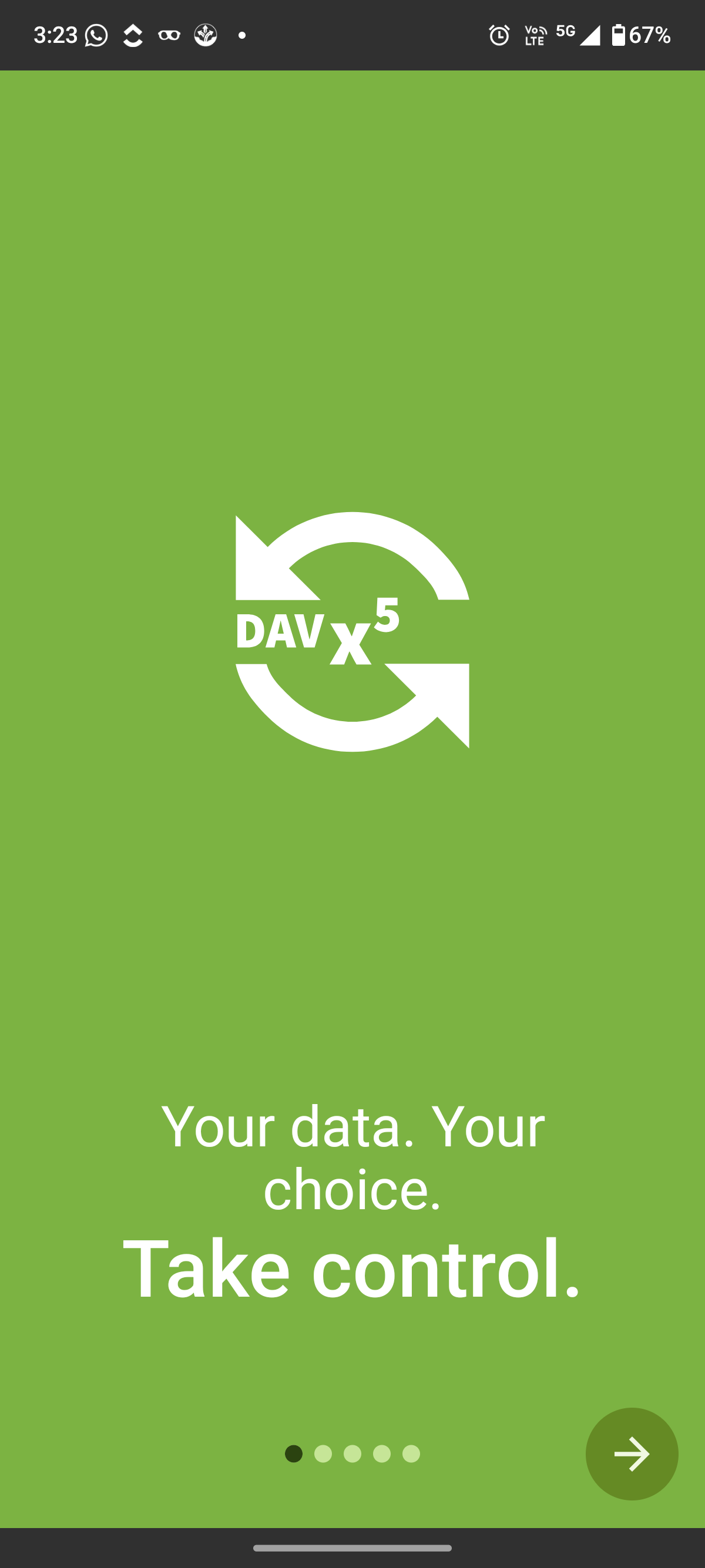
Here, tap the arrow button in the bottom-right corner to continue.
Next, DAVx⁵ displays the Tasks support screen.
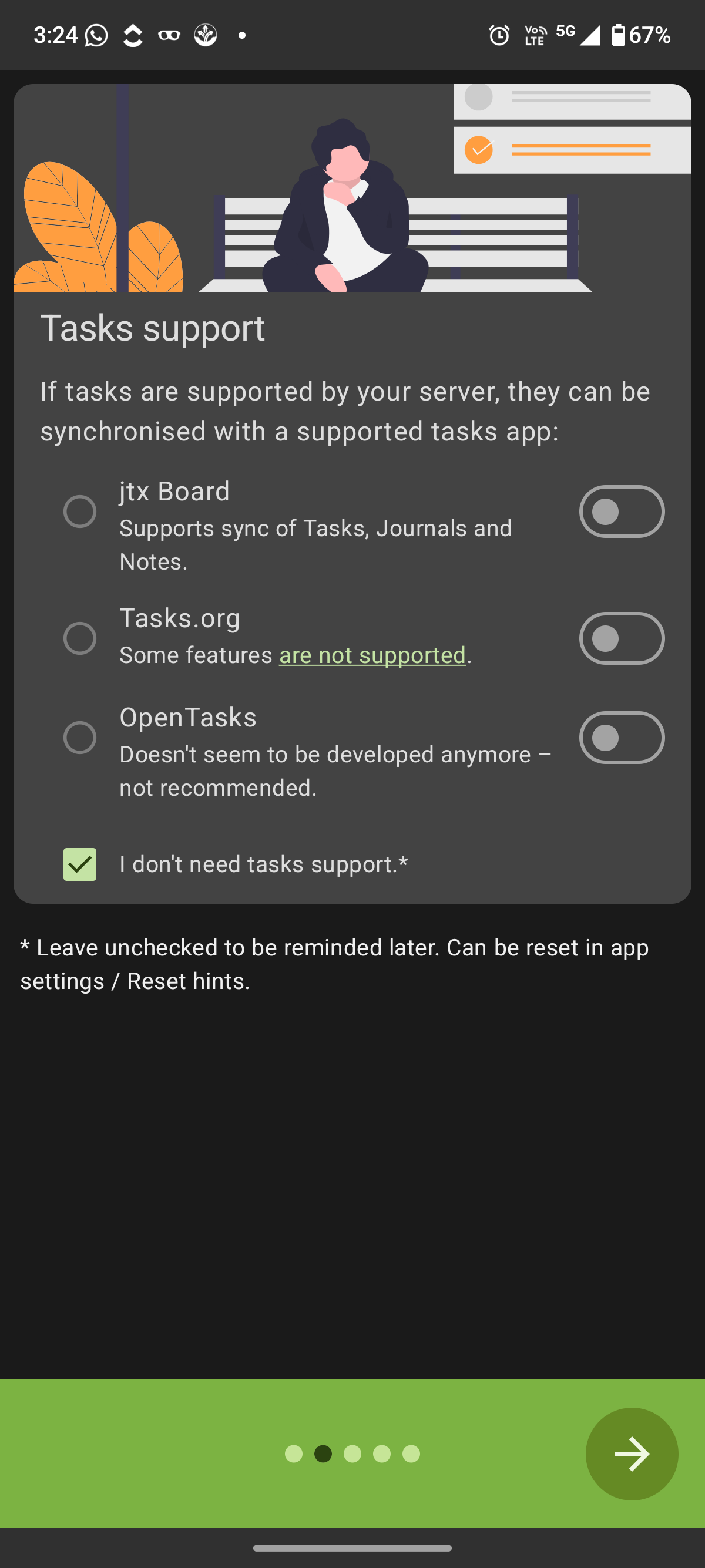
The app asks whether you want to sync tasks from your Nextcloud server using a supported tasks app. These tasks come from Nextcloud’s built-in task management features within the platform.
If you only want to sync calendars and contacts, leave the “I don’t need tasks support” (selected by default) option selected.
Then tap the arrow to continue.
At this stage, DAVx⁵ asks for the permissions it needs to sync calendars and contacts properly:
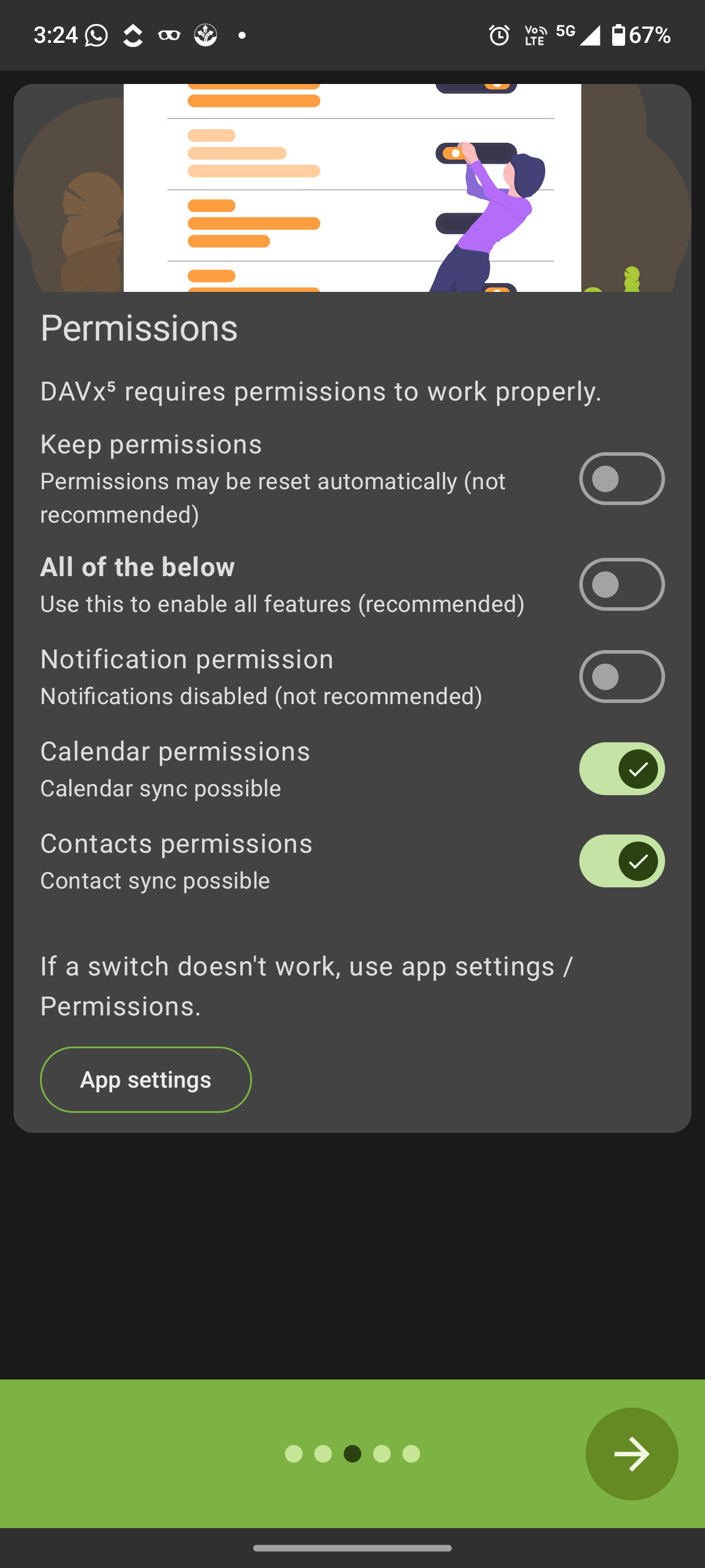
Enable the "Calendar permissions" and "Contacts permissions" so the app can access and synchronize this data with your Nextcloud account. You can leave the other options unchanged, such as "Notification permission" and "Keep permissions", as they are not required for basic syncing.
Once the required permissions are enabled, tap the arrow button.
You will now be asked whether you want to enable regular background synchronization.
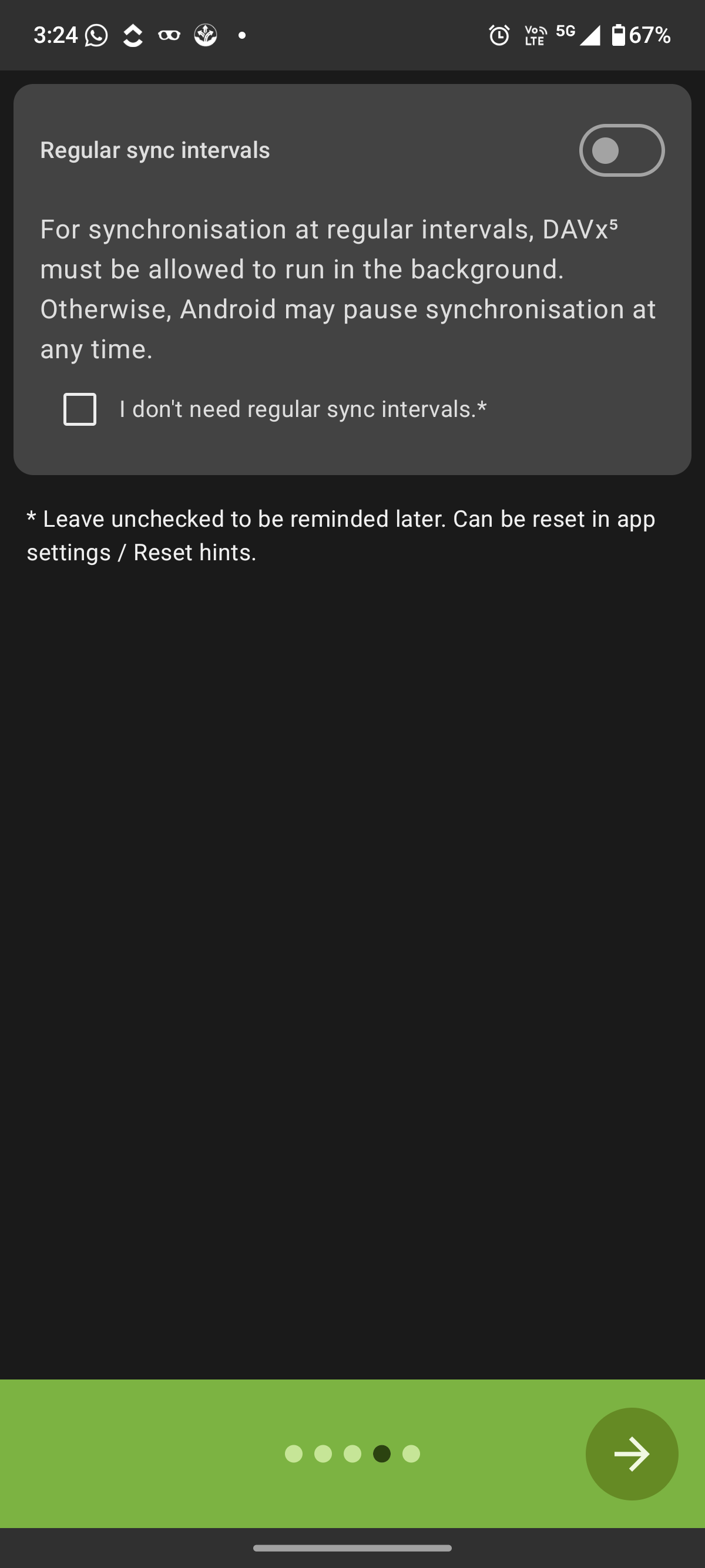
This option allows the app to sync your calendars and contacts automatically at fixed intervals, even when the app is not open. If you want your data to stay updated in the background, turn on the "Regular sync intervals toggle".
Or, if you prefer to sync manually, you can leave this option disabled and check the box that says "I don’t need regular sync intervals".
After choosing your preference, tap the arrow button.
After completing the initial setup screens, you will arrive at the main DAVx⁵ welcome page.
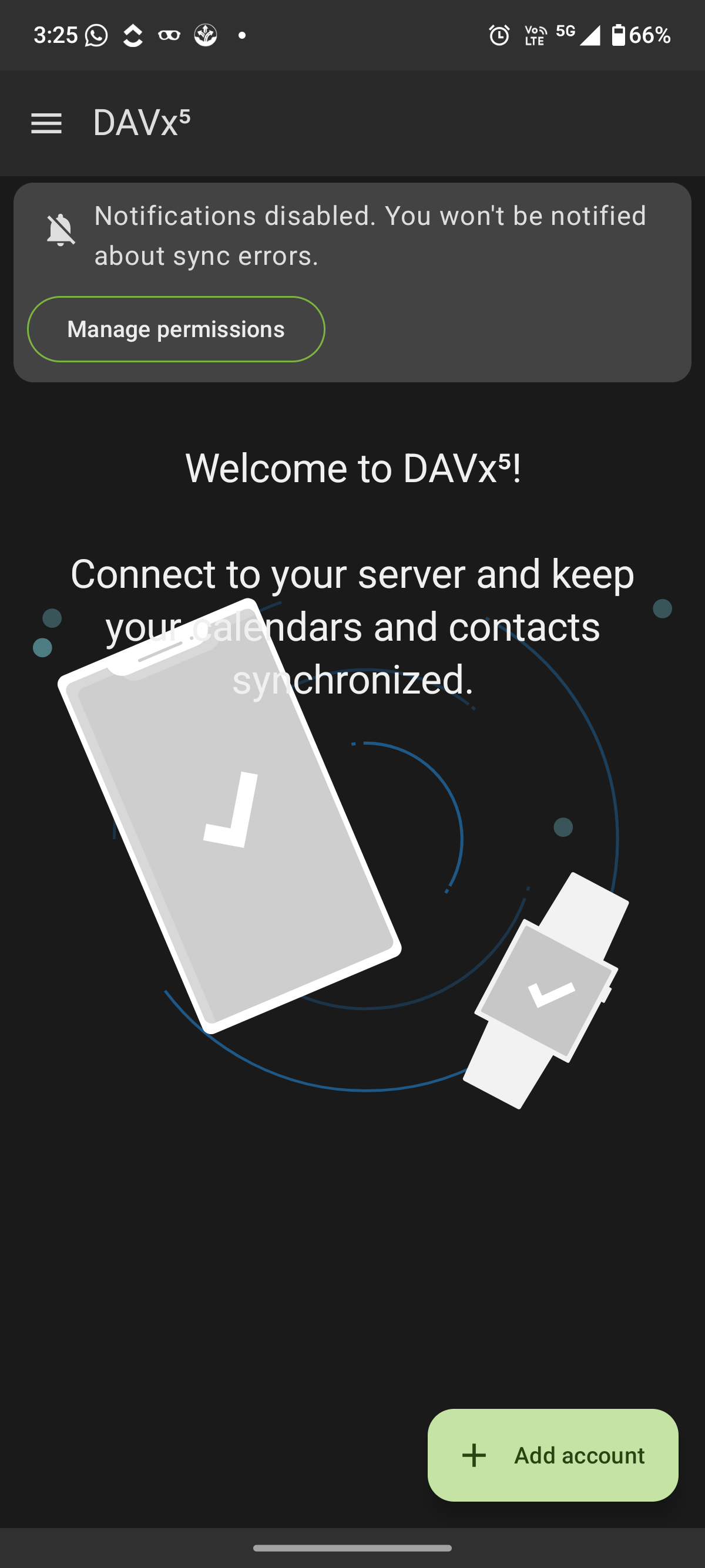
Here, you can tap "Add account" to start connecting your Nextcloud server.
Next, you will see the account login selection screen.
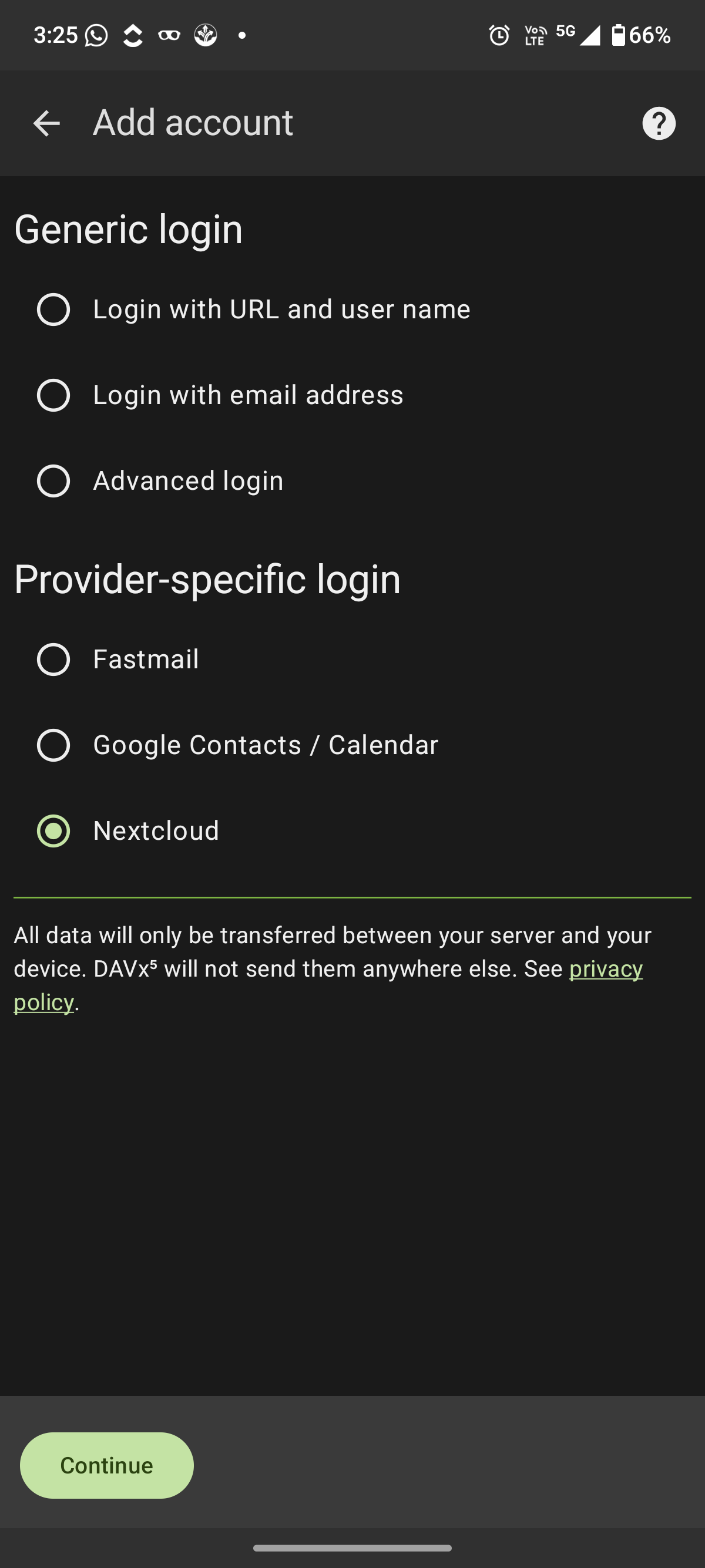
After selecting "Nextcloud" and tapping "Continue", DAVx⁵ will redirect you to your browser to complete the secure login and authorization process.
To finish the setup, continue with How to Set Up Nextcloud on Android for Files, Calendars, and Contacts. Once finished, your calendars and contacts will stay synchronized automatically between your Android device and your Nextcloud account.
Secure and privacy-first managed Nextcloud hosted in Germany.
Cloud Insights: Trends, Tips & Technologies
How To Use Nextcloud Talk
Nextcloud Talk is part of the Nextcloud platform, and knowing how to use it properly is important if you want to manage team communication, calls, and meetings directly within your own environment. This guide focuses on how to use Nextcloud Talk in practical terms. It walks through setup, interface basics, messaging and calling features, and key settings that affect daily use. The goal is to help you use it efficiently without unnecessary steps or confusion. Key Takeaway Nextcloud Talk
How To Install Nextcloud On Ubuntu
Managing your own cloud storage gives you control over your files and data privacy. Installing Nextcloud on an Ubuntu server lets you run a self-hosted cloud environment on stable, supported software. This guide covers everything from setting up your server to accessing Nextcloud in a web browser, so you can quickly deploy a secure, functional cloud solution. Key Takeaway Installing Nextcloud on Ubuntu via Snap offers a quick, reliable way to deploy a self-hosted cloud server with minim
Secure File Sharing for Business: How Companies Use Nextcloud for Collaboration
Businesses share sensitive files such as contracts, financial records, customer data, and internal documents every day across teams, devices, and external partners. At the same time, the risks are also increasing. The average cost of a data breach in 2023 reached $4.45 million, and many incidents are linked to unsecured cloud-based file transfers. Even a simple mistake, like sending a file to the wrong recipient, can trigger a GDPR violation. Remote work and constant collaboration with client

Reach out directly at
PEWEO SARL
5, Montée des Aulnes
L-6611 Wasserbillig
LU33030425