Sign In With a Trusted Device
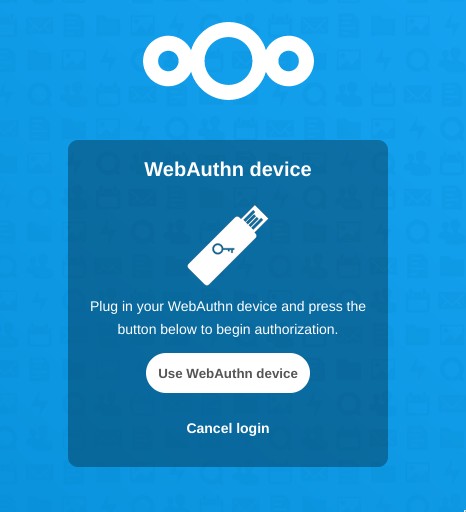
Have a registered WebAuthn device? Use it when you sign in to verify that it’s really you. The additional verification works alongside your password, giving your Nextcloud account another layer of protection.
Apps / Two-Factor Authentication (WebAuthn)
← All appsNextcloud app
Increase the security of your Nextcloud with two-factor authentication using hardware tokens.
Add another layer of protection to your Nextcloud account.
Nextcloud Two-Factor Authentication with WebAuthn adds a second verification step using a compatible WebAuthn device, giving your account an additional layer of security beyond your password.
What you can do
Add a WebAuthn device as another way to verify your identity when signing in.
Register compatible WebAuthn devices and use them for two-factor authentication.
Use the app with a browser that supports the WebAuthn standard.
Have a registered WebAuthn device? Use it when you sign in to verify that it’s really you. The additional verification works alongside your password, giving your Nextcloud account another layer of protection.
For administrators, WebAuthn provides another way to strengthen how users access their Nextcloud accounts. It adds an extra verification step without changing the basic login process.
Once your WebAuthn device is registered, it becomes part of your regular sign-in. You get an additional security check while keeping the familiar Nextcloud login experience.
Two-Factor Authentication (WebAuthn) comes with every CloudBased Backup plan, together with all the other Nextcloud apps — fully managed and hosted in Germany. Try the Lite plan free for 7 days.
Hosted in
Germany
4.3on G2