Best OneDrive Alternatives for Businesses in 2026
8 min read · 29.09.2026
Our Blog / how-to-integrate-your-nextcloud-calendar-into-google-calendar
← Back to overview
Many Nextcloud users rely on Google Calendar for their day-to-day scheduling, even when they manage meetings and events inside Nextcloud. Instead of switching between the two, you can subscribe to your Nextcloud calendar directly inside Google Calendar and view everything in one place.
This guide explains how the integration actually works and how to set it up properly.
First, log in to your Nextcloud instance and open the Calendar app. You will see the familiar monthly view, with your calendars listed on the left side.
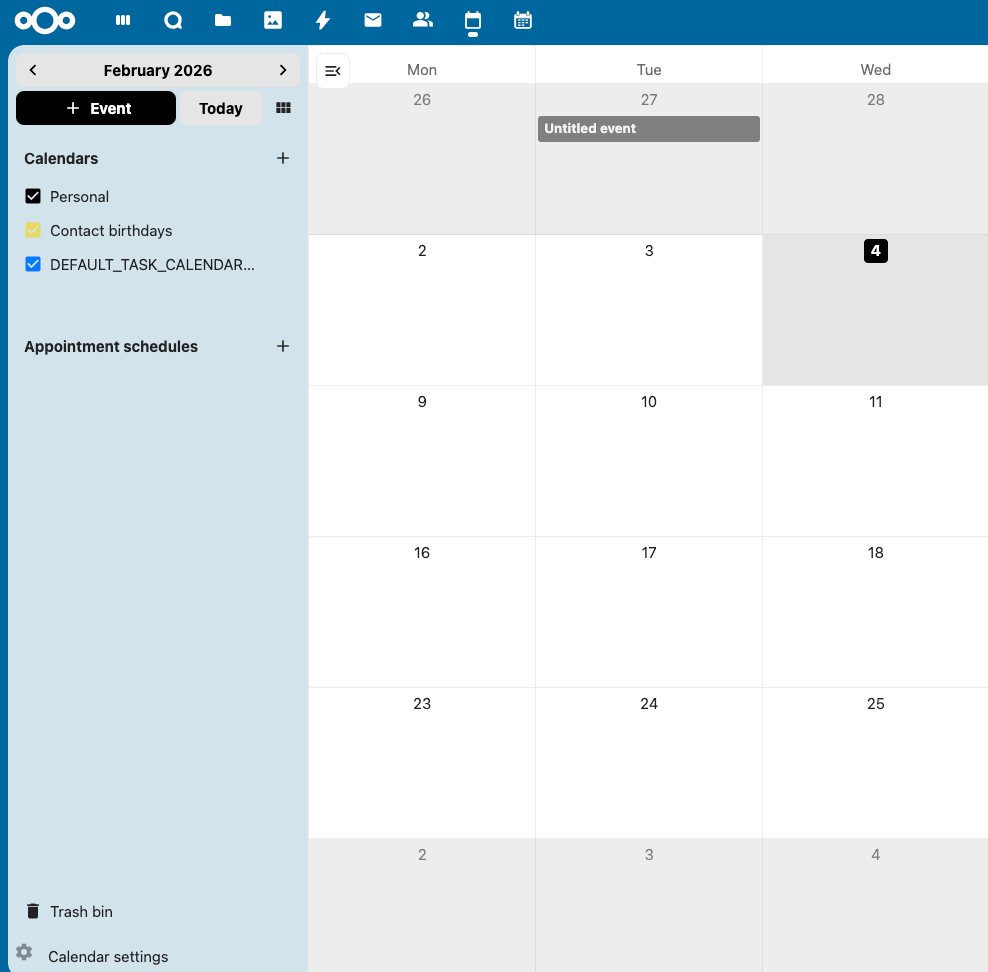
Under Calendars, you will find a few options. I am choosing the Personal calendar here, since that’s where most everyday events and meetings usually live.
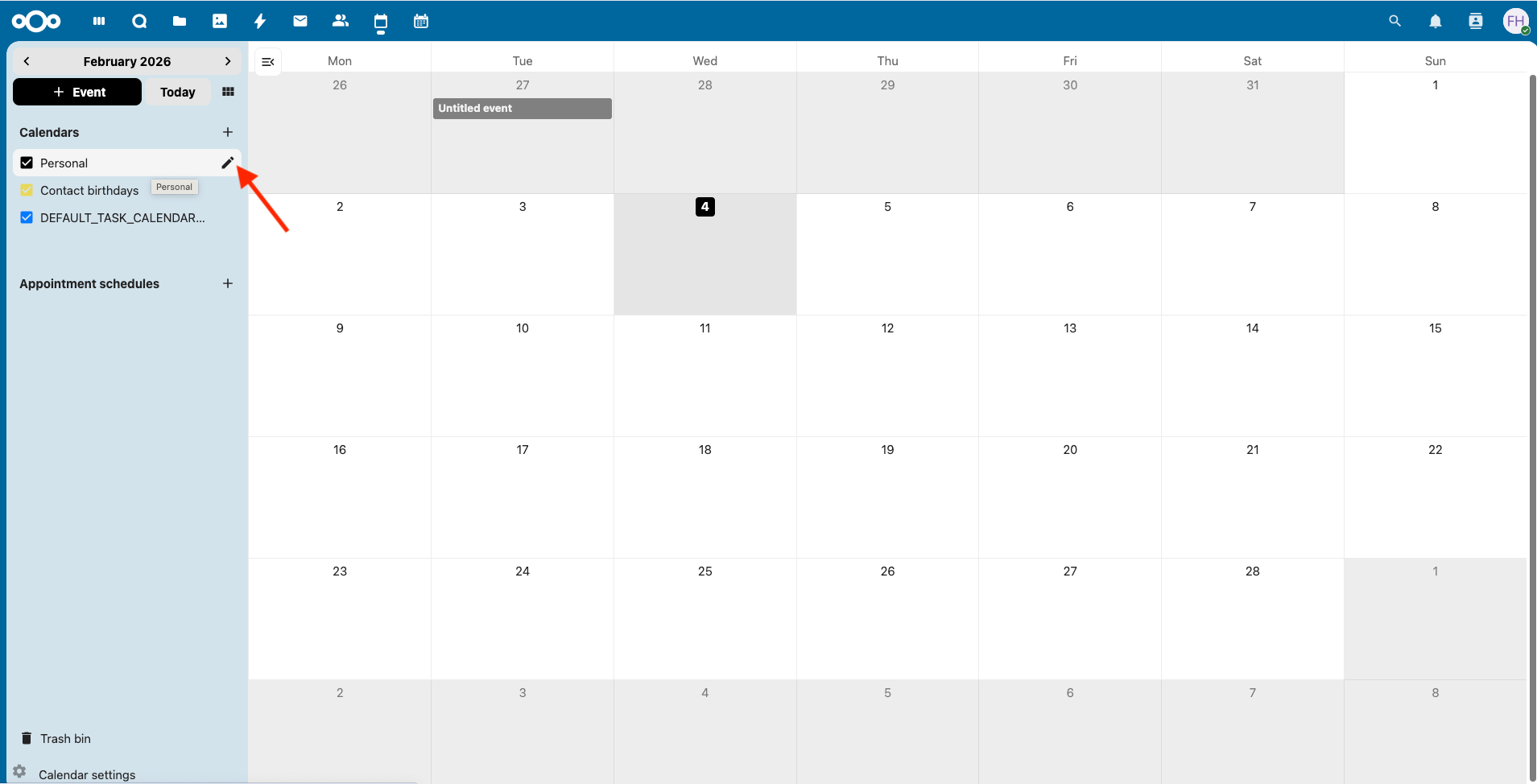
When you hover over "Personal", you will notice a small pencil icon appear. Click that. This now opens the calendar’s settings panel.
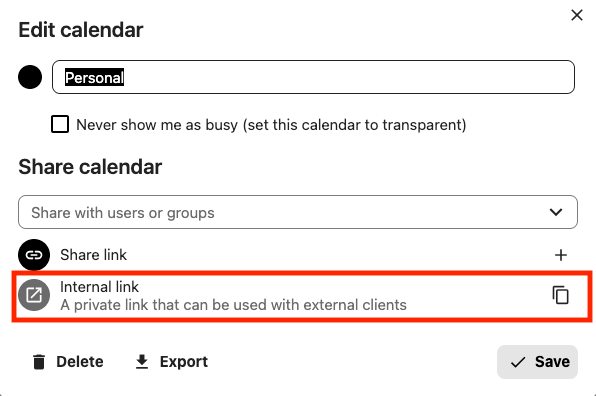
In this panel, look for the section "Share calendar". This is where Nextcloud exposes a private subscription link for external apps.
Here you will see an option "Internal link", described as a private link that can be used with external clients. This is exactly what Google Calendar needs. Click the copy icon next to it.
At this point, you are done in Nextcloud.
Once that’s done, switch over to Google Calendar. Open Google Calendar in your browser. Make sure you are using Google Calendar in a web browser. The mobile app does not show the required options, but once everything is set up, the calendar will appear there automatically.
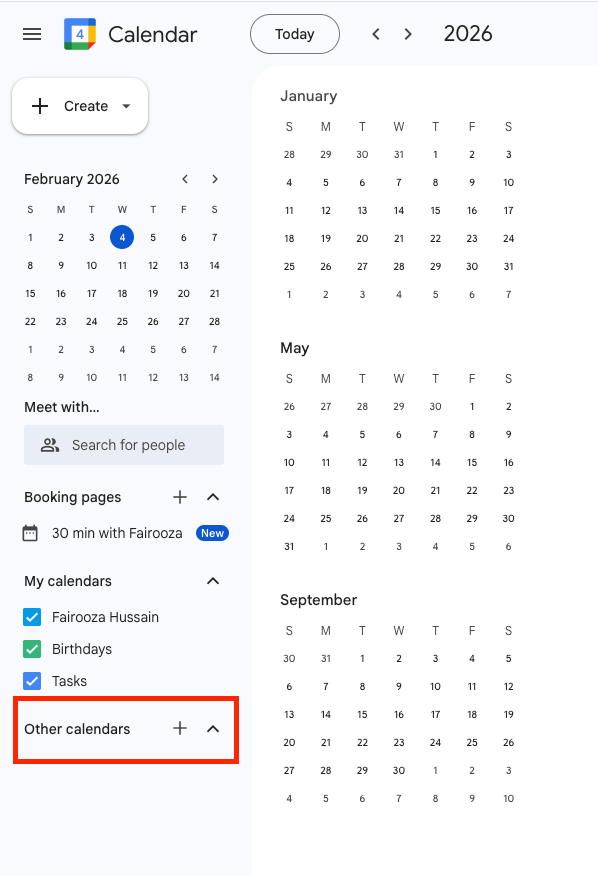
In the left sidebar, scroll down to Other calendars and click on the plus icon next to it.
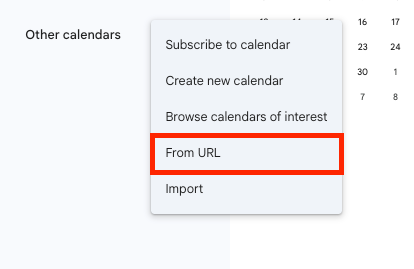
From the menu that opens, choose "From URL".
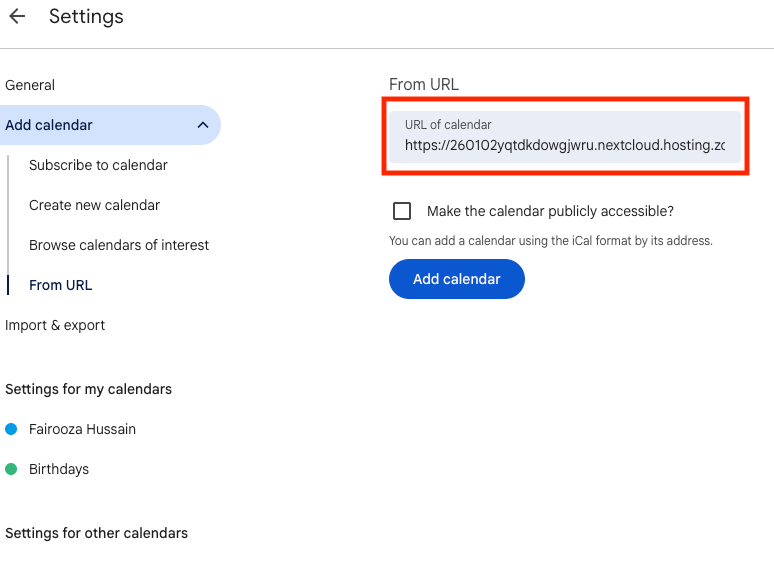
Now, Google takes you to the calendar settings page. Here you will see a field "URL of calendar". This is where you paste the internal link you copied from Nextcloud. Then click "Add calendar".
That’s it.
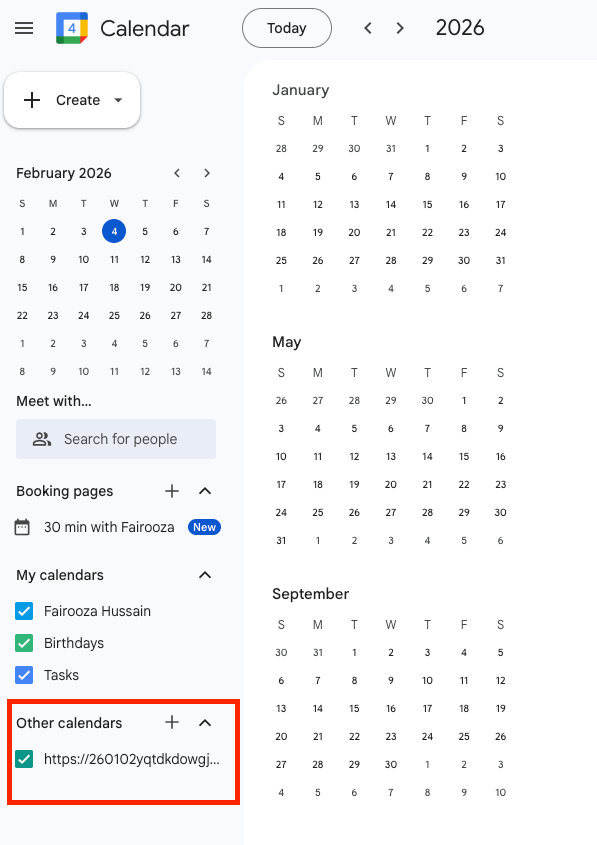
Once the calendar is added, you can see it listed under "Other calendars" in Google Calendar. Your Nextcloud events are now visible in Google Calendar.
One thing to be aware of is that Google does not update subscribed calendars instantly. Changes you make in Nextcloud can take a few hours to show up in Google Calendar and that is normal.
If you are using Android and need real-time calendar updates, setting up Nextcloud directly on Android provides full two-way sync. For advanced setups, CalDAV clients like DAVx⁵ connect directly to Nextcloud and support instant calendar synchronization.
8 min read · 29.09.2026
9 min read · 22.09.2026
5 min read · 14.09.2026
Hosted in
Germany
4.3on G2