Protect What Matters Most
E2EE is particularly useful for information that needs stronger protection.
Choose which folders need this additional level of security and keep everyday files in your regular Nextcloud workspace.
Apps / End-to-End Encryption (E2EE)
← All appsNextcloud app
Encrypt your most sensitive data. Note: end-to-end encryption is still in beta and not yet fully reliable — use at your own risk.
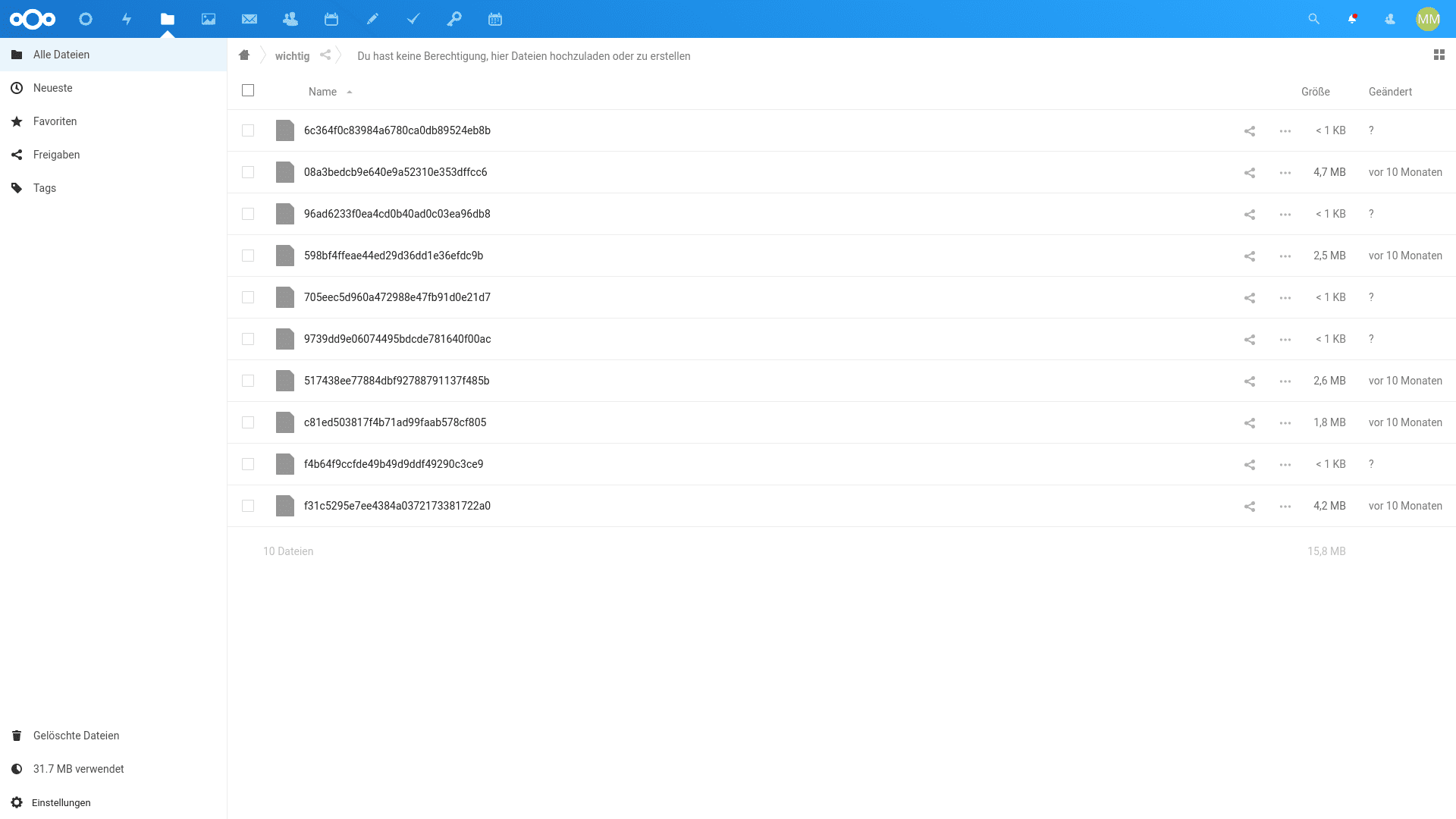
Protect your most sensitive files with end-to-end encryption. Nextcloud End-to-End Encryption encrypts files on your device before they are uploaded to the server. You can choose specific folders for encryption, so sensitive documents can receive an extra layer of protection while your regular Nextcloud files remain easy to work with.
What you can do
E2EE is particularly useful for information that needs stronger protection.
Choose which folders need this additional level of security and keep everyday files in your regular Nextcloud workspace.
E2EE keeps the decryption keys away from the server, so encrypted files cannot be read there in plain text. This is especially valuable when your Nextcloud environment is hosted by a third party and you want stronger control over access to confidential information.
Protect selected information without changing the way you use your entire Nextcloud workspace.
Choose specific folders that contain sensitive information.
Files are encrypted on your device before they reach the server.
The server does not have access to the keys needed to decrypt your E2EE files.
Give highly confidential information an additional layer of protection.
Protect sensitive business files that require stronger privacy.
Keep confidential HR and personnel information in encrypted folders.
Protect research files, product information, and other valuable business data.
E2EE does not need to replace your regular Nextcloud workspace. Keep everyday files in standard folders and use encrypted folders for information that needs additional protection.
This lets you maintain a practical balance between security and everyday collaboration.
Your encrypted files stay accessible across the devices you use with Nextcloud.
Access encrypted files through supported Nextcloud desktop clients.
Work with your encrypted files from supported mobile clients.
View your encrypted files from the Nextcloud web interface.
Store it securely to maintain access to your encrypted files.
Keep your everyday Nextcloud workspace convenient while giving selected files an additional level of protection.
Nextcloud End-to-End Encryption lets you decide which folders need stronger privacy and keeps their contents encrypted before they reach the server.
End-to-End Encryption (E2EE) comes with every CloudBased Backup plan, together with all the other Nextcloud apps — fully managed and hosted in Germany. Try the Lite plan free for 7 days.
Hosted in
Germany
4.3on G2